Start here
Where are you in your journey?
Choose the path that fits today. We’ll take you to the most useful discussions.
- GLP-1 medication Zepbound, Wegovy, access, side effects, progress, and support.
- Before surgery Compare procedures, plan ahead, and get honest pre-op answers.
- Post-op Recovery, food stages, symptoms, and support.
- Long-term Regain, labs, habits, and life after the honeymoon.
- Revision Explore revision options, complications, and next steps.

NewEnglanderGal
Gastric Sleeve Patients
-
Joined
-
Last visited
Everything posted by NewEnglanderGal
-
Hope your surgery went well!
-
Good luck tomorrow!!!
-
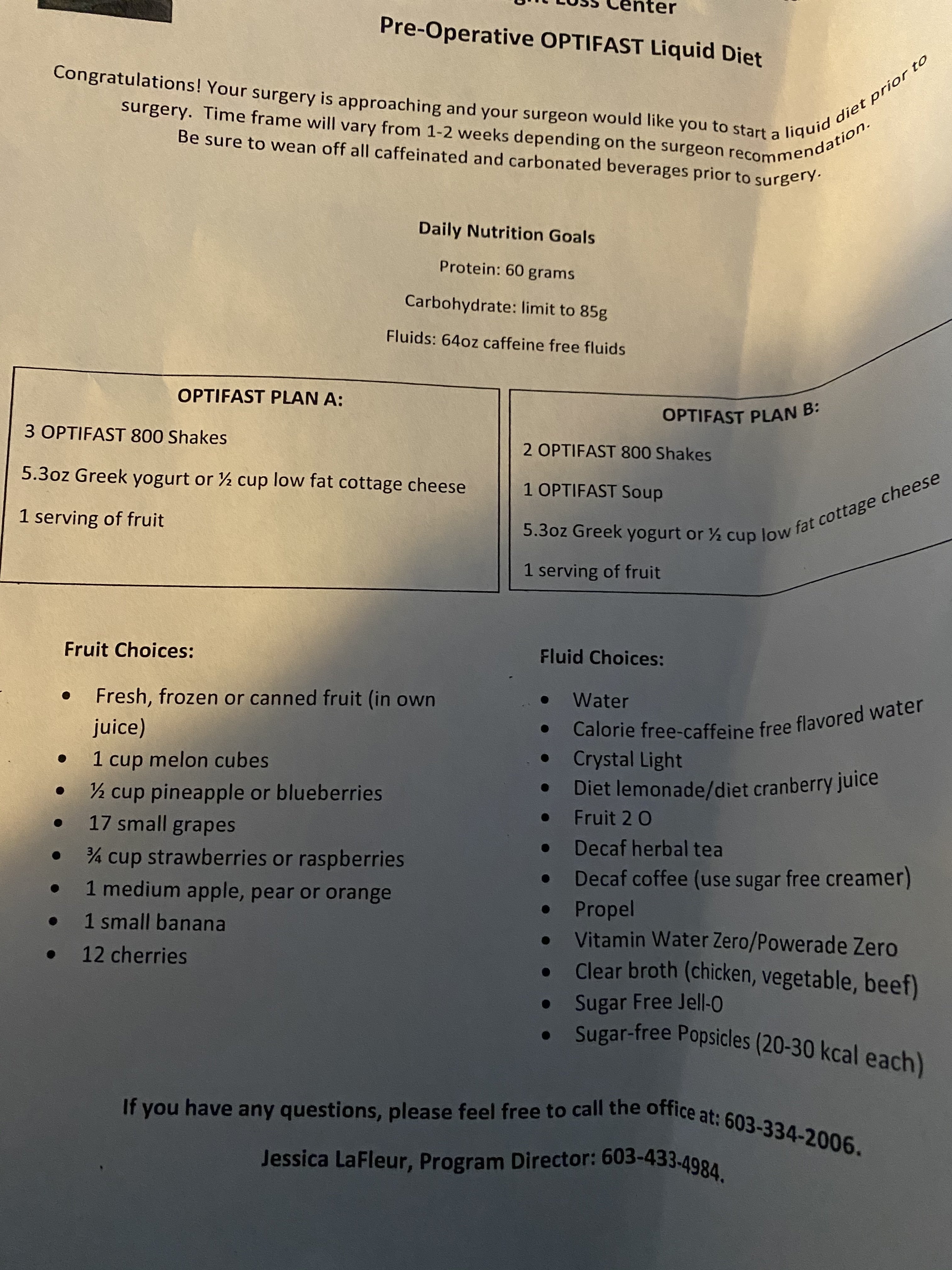
I went to my pre op appointment today. Everything went well. 1 week pre op diet starts 3/3. 3 protein shakes A yogurt and 1 serving of fruit OR 2 protein shakes and a protein soup, yogurt and 1 serving of fruit. My surgery is scheduled for March 10th. Looking for buddiesMy surgery is scheduled for March 10th. Looking for buddiesI just got my date! March 10th! I can’t believe it. I’m so excited. I didn’t think I would get anything so soon. I’m meeting with the surgeon for the first time on Monday. So the NP yesterday and she said I’m good to go for surgery. Wow this happened fast