




Start here
Where are you in your journey?
Choose the path that fits today. We’ll take you to the most useful discussions.
- GLP-1 medication Zepbound, Wegovy, access, side effects, progress, and support.
- Before surgery Compare procedures, plan ahead, and get honest pre-op answers.
- Post-op Recovery, food stages, symptoms, and support.
- Long-term Regain, labs, habits, and life after the honeymoon.
- Revision Explore revision options, complications, and next steps.

morebetje100
Pre Op
-
Joined
-
Last visited
Everything posted by morebetje100
-
Great!
-
You will be okay!
-
Why the revision?
-
Great luck!
-
Many congrats!
-
Many congrats. More mobility! Great!
-
Claim it!
-
Congrats.
-
Many congrats.
-
We all experience the same. You're okay.
-
Age is just a number. It doesn't represent who you are.
-
Patience is a virtue.
-
Ok. Just do it!
-
Patience is a virtue. You got this!
-
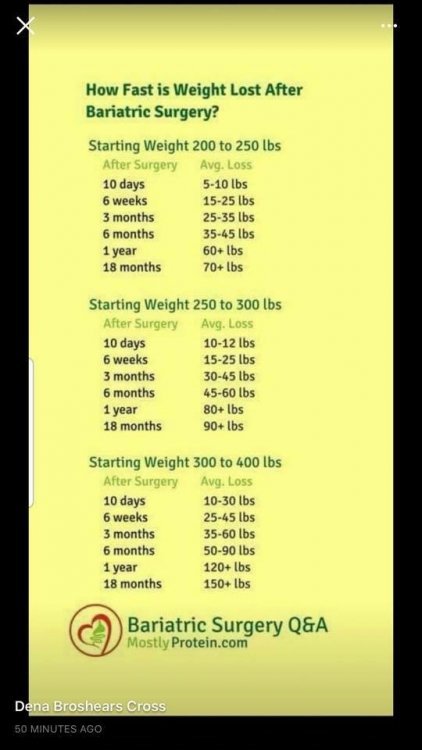
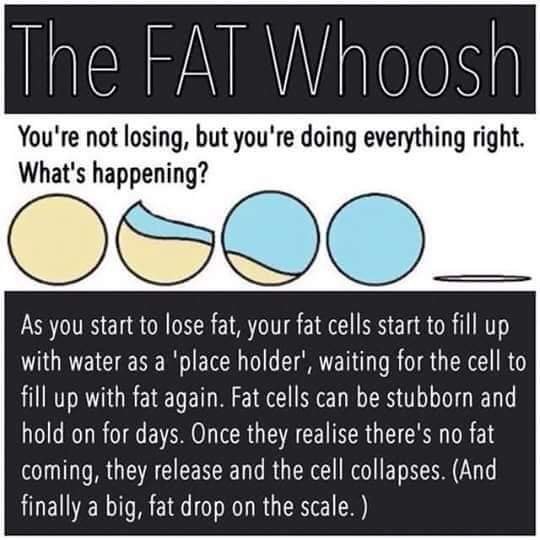
You might find these two items helpful. Great success!
-
I meant that this is a post you might find helpful. LOL!
-
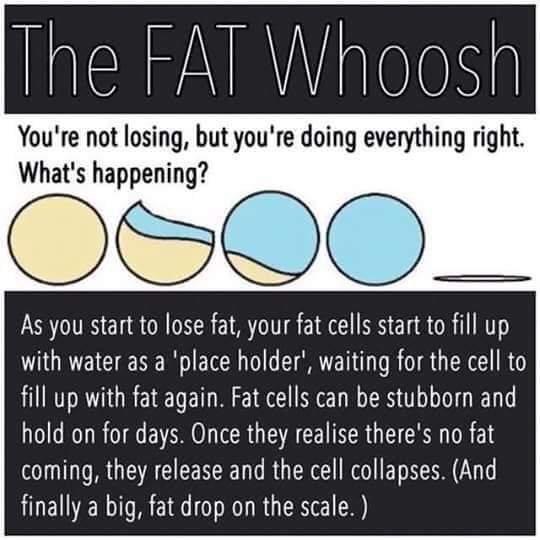
Here is another you might helpful regarding fat cells which might relate to stalls as well.
-
Great!
-
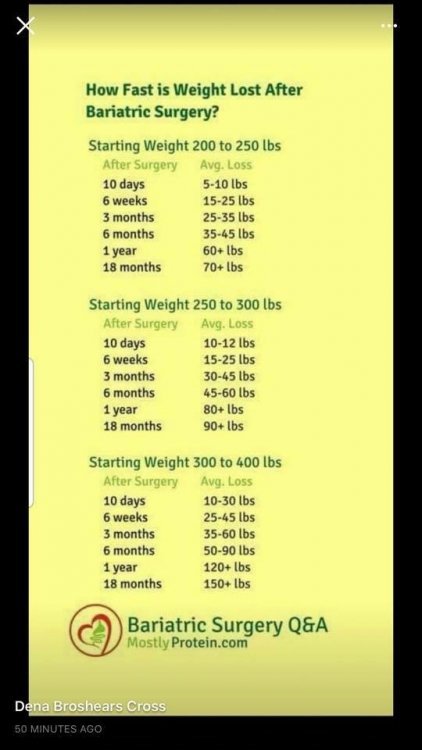
Someone shared this chart below regarding possible weight loss results after the sleeve. Hopefully, you will find it helpful. I am losing slowly also but I am trying to be patient. Have great luck!
-
Many congrats!
-
Many congrats!
-
Great looking pics also!
-
I had my band removed because it slipped. I never had the success you experienced. I am three months post op for a gastric sleeve. The weight loss is slow which is fine with me. I would not worry about getting skinny. How much you lose will be dependent on you and your body. Pray about this and other things. Great luck!
-
Great!
-
Great!



.png)