Start here
Where are you in your journey?
Choose the path that fits today. We’ll take you to the most useful discussions.
- GLP-1 medication Zepbound, Wegovy, access, side effects, progress, and support.
- Before surgery Compare procedures, plan ahead, and get honest pre-op answers.
- Post-op Recovery, food stages, symptoms, and support.
- Long-term Regain, labs, habits, and life after the honeymoon.
- Revision Explore revision options, complications, and next steps.

jazzyywan
LAP-BAND Patients
-
Joined
-
Last visited
-
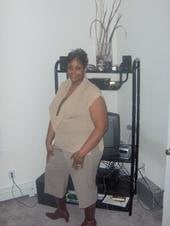
Hello, it is my first year anniversary also. The year went by so fast. I'm down 115 pounds and feeling great. The Lap-Band is the best thing I every did. Well Congrats to all and keep up the good work.
-
LOL! I am in between a new born calf and a 2 month old horse...
-
I'm also on FACEBOOK!! I love it!
-
No more Lane Bryant for me thank god! I now shop at the store I been peeking in for years, and that is New York & Company. I'm loving it!!
-
I understand what you are saying. You ate a little to much and you felt you food stuck in your throat and tried to get it down with water and it felt like it didn't want to go anywhere, yea it happens to me. your at your sweet spot. you know that your full and you just have to take that extra bite. yea I know but we will learn.
-
-
I'm having problems with meats, bread, rice, and pasta. I eat fish and beans for my protein.
-
I would love to join. I am aiming for a 20 pounds. That would put be at a 100 pound weight loss.
-
-
I always order sweet and sour soup or the chicken and rice soup.
-
Welcome, and good luck. And Happy Holidays to you..
-
That is absolutely wonderful... Keep up the good work. And Merry Christmas and a Happy New Year to you.
-
I didn't have to to a pre-op diet. The doctor told my not to gain anymore weight...