Start here
Where are you in your journey?
Choose the path that fits today. We’ll take you to the most useful discussions.
- GLP-1 medication Zepbound, Wegovy, access, side effects, progress, and support.
- Before surgery Compare procedures, plan ahead, and get honest pre-op answers.
- Post-op Recovery, food stages, symptoms, and support.
- Long-term Regain, labs, habits, and life after the honeymoon.
- Revision Explore revision options, complications, and next steps.

wifeofdes
Gastric Sleeve Patients
-
Joined
-
Last visited
-
-
-
-
-
Thank you!!
-
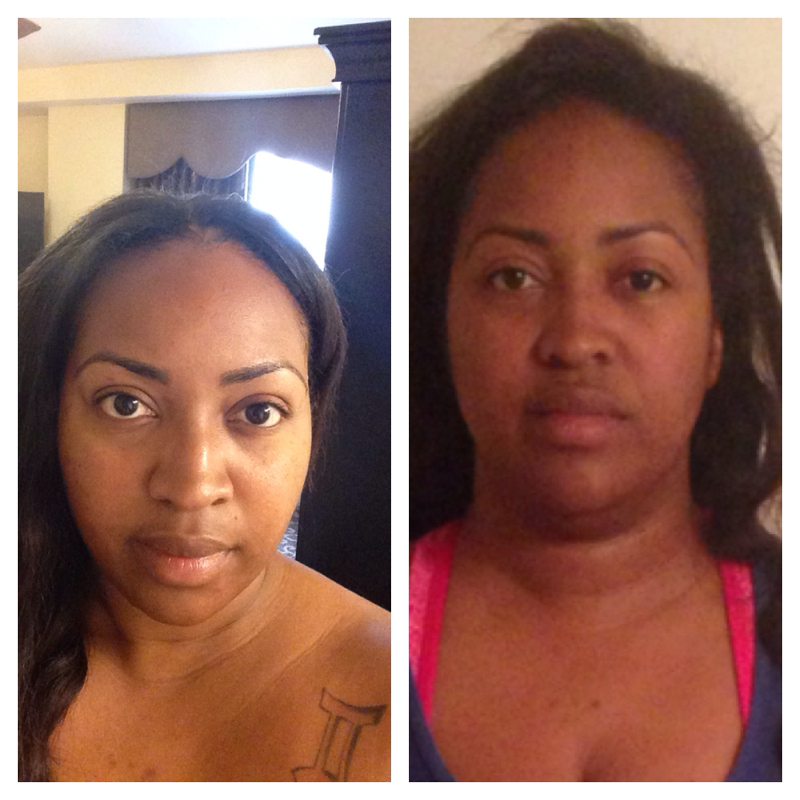
I always came on here looking at the pictures, thinking why am I not seeing a difference. Well I guess it's because I see myself everyday and had never compared two pictures...well I am finally able to see the difference and I am liking what I see. Excuse the pic on the right, I know I look a bit crazy LOL.

-
Ebonisekim you look great. Do you have a problem with excess skin? If so you hide it VERY WELL! I have been wondering that with a lot of pictures I see. Keep up the good work!!!