Leonafire
Gastric Sleeve Patients
-
Joined
-
Last visited
Everything posted by Leonafire
-
Debbie's Before and After, a weight loss surgery photo album by Leonafire on BariatricPal. 2 photos in Before and After Gastric Sleeve Photos.
-
I named her, Betty Poop. My real name is Debbie and people have heard it as Betty most of my life so it's kind of a nickname and I love Betty Boop, just changed the B to a P...well you know why
-
Look them straight in the eye with a straight face and say, " I am sorry you feel resentment towards me and that jealousy is not a way to treat a friend" Oh and for the non friends, " kiss my new rosey a**"... Then smack the ignorant idiots upside the head. For the health care professionals, seriously A** Hat's "I don't pay you for your personal opinions", so do your job. Ya! I'm not bitter I used most of this, and figured out who my true friends were through this process...(Jumps down off my soap box)
-
Personally you will probably have more trouble with the sitting so long and dear god the dang smell of buttered popcorn.
-
Hello,I'm from Round Rock, not to far. I was sleeved March 18th. Healing fine, have a few issues I would like to go away, just trying to be patient Good Luck to you Debbie
-
It was nice to see this topic. I was sleeved March 18th, healing nicely, but Monday of this week, I went to take a step back from the wasp I just swated, and flew flat on my bum and back, completely knocked the wind out of me. I was so scared I damaged myself, My rear and back were so sore. I seem to be fine, but was wondering why I am so clumsey. Glad I'm not alone
-
ok I feel like I need to retract my last post. I had not started drinking the Magnesium Citrate before posting that, Actually I was just going off of every ones accounts of it including the pharmacist. I'm either plum Loco, cuz it's actually kinda good, I bought the lemon one, put it in the fridge and got it all cold, put a straw in it, cuz I can now. It is almost refreshing, Like a tart sparkling lemon aid. I have a glass of ice water to help chase it, but I don't really need it. All that fuss for nothing. Just wanted to let others know, incase you are as apprehensive as I was. Once again Good Luck, I'm on at 12:30pm tomorrow afternoon.
-
Ok March 18th people, How has the day been today? Anyone starting there Butt Cocktail? I'm staring at mine and the bottle is just sitting their waiting for me to drink, Good God!... Just go away all ready... Nope still there...Fine where's my big girl panties, Oh ya I'm wearing them LOL But I'm drinking you and you better not give me any trouble going down, Cuz I'm ready to burn these big girl pantie b*****s. Here we go....Bleck! Blah! Eck!! Obviously I have lost my mind in my hunger deprivation today. Good Luck Yawl WE got this.
-
LMAO, I'm not sure if I am hungry or Horney
-
I'm Debbie I Iive in Round Rock Texas and Work in Austin, I am scheduled for my new tummy on March 18th, in San Antonio with Dr Patel. I would love to meet some local people to share in this journey with. I am hoping to find a support group for questions and sharing.
-
I'm in Austin
-
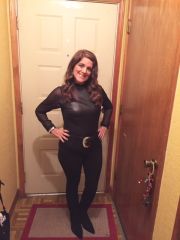
Damn Dude, Look at that...Shirt all tucked in and wearing a belt, What a Hottie. What an accomplishment. Go You!
-
Just opened my email and found an email from my doctor's office with letters that spelled out "Congratulations" and my surgery date of March 18th, It was like I won some thing, Hehe!! Looks like I will be collecting my prize on March 18th Her we go!!! WEEEEEEEE!!!!! By some weird chance anyone in San Antonio, Texas ??
-
I love this idea, I will start by saying, the weather here is absolutely beautiful, the sun is out in all it's glory, the temp is cool but warm from the sun, perfect day to be out moving around, go for a bike ride or explore a part of your area you never have gone to, sit under a tree and read or journal or grab some colors and a color book and zone out on coloring.(ok so it's a chick thing, guys find some lego LOL ) Lets take a moment to reflect how lucky were are to have this opportunity for assistance in changing our lives. Little bit of babbling, but it's what I am feeling inside today. Yay! for Sunday's
-
I agree, it's easier to take in then take out, depending on the dress, just factor in the charge for an alteration,which can up to another $100. go with the size you are in May or maybe go down 1 size from then, You don't want to add anymore pressure on yourself. I love weddings Debbie
-
I'm shooting for mid March myself. I'm 5'3 and 228 lbs the charts say my goal should be 115 I'm sure whom ever came up with that chart was a crack smoker, Just Sayin! LOL I have no desire to be 115, I do however see myself at a healthy 150lb, oddly enough I seem to be scared of actually losing the weight, I mean how weird is that, am I so attach to these roles and this ba dunka a dunk, that I will mourn it? Good Grief! I am thinking of maybe holding a bad a** wake for the stomach their removing and the fat that will start to go away, and maybe a new birthday party for the healthier me Comment on who I shared with, I decided to send an email to my circle, with links to be able to help them understand what I am doing, sadly enough my best friend is not on board at all, which makes my heart ache since I feel like I want to share my journey, Oh! well she feels what she feels I suppose. My biggest support is my daughter, who a year ago was sleeved, when she told me I was one of the mis-informed judgmental people she ran up against. Her whole life has changed in so many areas, not just how she feels physically. And OMG she looks fabulous. http://www.facebook.com/groups/216807098391019/?fref=ts here is her facebook link she made for her VSG journey if you would like to take a look. Ok enough rambling, We have each other here, I'v cried & laughed and been scared S***less since being on this site, I also have found strength and compassion. So my sistas and brothers, Ready, Set, Go!!!! WEEEEE!!!! (I say that a lot because I like it LOL )
-
Thought I would chime in, I'm Debbie. I don't have an exact date, but I do know it will be mid March. This process has gone so fast, I went to consultation Jan 15, I live in Austin, Texas Ready!! Set! Here we GO!!
-
Wow! What a fantastic post to wake up to this morning. Seriously I hope you don't mind, but I have copied it and printed it out. I want to put it on my goal board. (Its a little fun collage I made for inspiration) The inspiration I find here is just amazing. Thank you for sharing that.
-
This is an awesome post, you owned making the bad choices, eh! wish we were all perfect, but that aint goin to happen. and then reaped some of the benefits of your hard work and suffering. I'm so glad you found a positive place to grab onto and refocus. What an inspiration! Tomorrow will be a great day!
-
I would try and ride it out, I bet each time it will get easier and easier. And you will eventually feel like to have conquered the craving demon. I am at good dishing out this s*** If only I could take my own advice. I am just starting out on the journey myself, so I have a lot of self discipline to work on. Good Luck Debbie
-
I haven't had the surgery yet, but the only way I can even drink water is flavor it, I don't like flavored water because it is to sweet, so I put a little bit of the flavored water in it my container of water and its perfect, maybe you could take the lemon crystal lite and put just enough to flavor it to your liking.
-
I'm from Austin, Texas. Originally from Washington State. But this Texas food is so damn good, I let it kick my ass, or jump on for the ride, whatever I like to hear all sides, but I know we need to focus on the prize, so I try to not let the scary stories get to me, they do a little though.
-
Hello My name is Debbie, I just went to the Seminar myself, so I am in the same stage, I have a boat load of emotions about all of it, but damn if I am not ready to change the quality of my life. Where are you from?
-
I am at the very beginning of my journey, I have been one of the ignorant people that tend to pass judgment on WLS, My daughter was sleeved last year, and it took everything in me to not nag her to death, I just felt, their she was taking yet another easy road out of something, I mean come on girl get off your a** and step away from the fork. Stop being so lazy. Well...now here we are, she has a hot healthy active body, she even did a 26mi bike ride with her and my grandchildren. Me on the other hand, have gained 30lbs since her surgery,which makes me almost in the mid 200,im all of 5'3 I'm in pain 24/7 and... Wait for it... I can't even wipe correctly, I know that may be TMI for some of you, but seriously I will bet there are some of you that feel the same way, just not putting it out there. I will do it for you, I want to wipe like a normal person, I want to wash those personal areas without pulling a muscle. I have many other triggers that finally opened up my mind and my heart to this path, but when I saw the topic, What was your last straw? that is the first thing that popped in my mind. I will be attending the seminar this week, my daughter has been such an inspiration to me, and I have seen the suffering, hard work and sacrifices she has made to get to where she is today. No easy road with this decision for sure. I am ready, I am ready to be the hot healthy grandma that can actually sit on the floor and get up all by her self. Ready, Set, Go!!!!