sandy knudsen
Gastric Sleeve Patients
-
Joined
-
Last visited
Everything posted by sandy knudsen
-
95lbs down and feeling great!!!
-
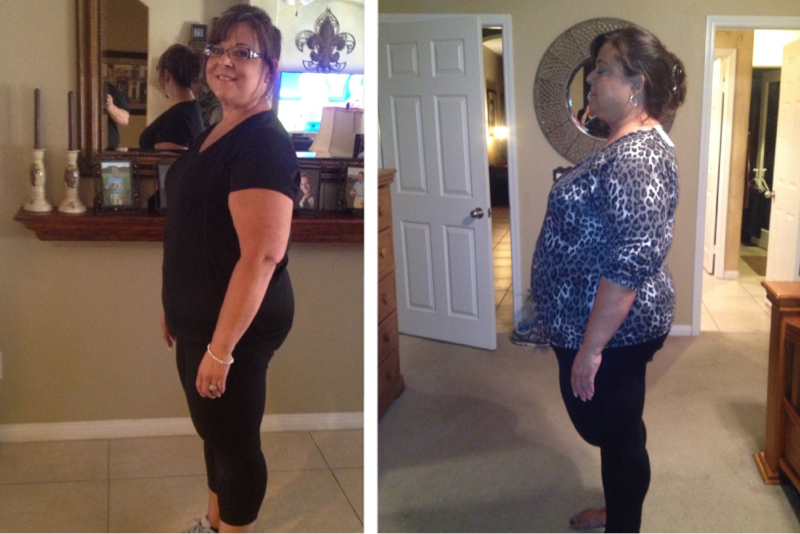
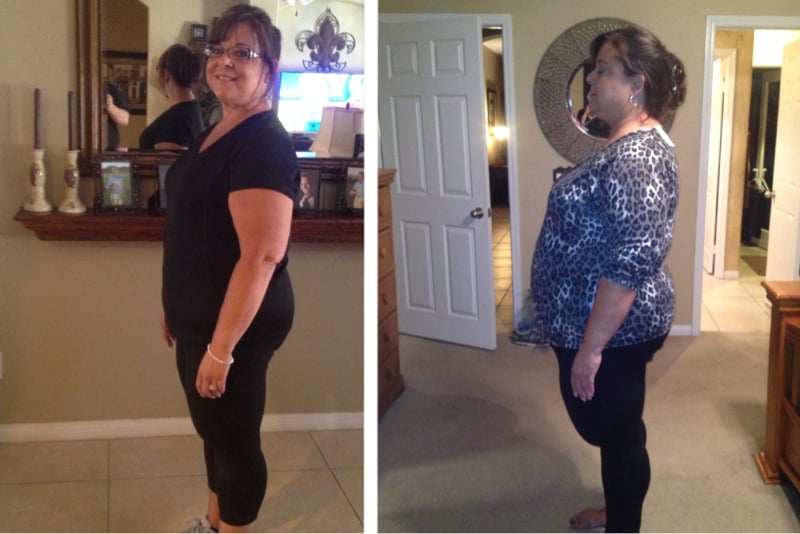
Here is a before and after picture. The one on the tight is before surgery 11/5/3012 320lbs the one on left is 4/24/2013 250lbs.

-
Almost 6 months out. My husband took a picture of me today and I was like WOW is that me. The other picture is from the night before surgery. Down 89lbs.

-
Oops forgot to add down 87lbs and feel great!!
-
I am in Antelope Valley also. I had my surgery at Palmdale regional hospital on 11/5/12 with Dr Yadegar.I have no regrets!! Do happy that I did it.You look great Carly!! Love you positive attitude!!! Congrats!!! Keep up the good work!!You look amazing. You go girl!!!Thank you Leelee93.You look great!!Great job!! Congrats to you!!!Thank you!!I love my sleeve!! Down 66lbs. What an awesome journey!!
 Amazing!! You look great!!!!Thank you. I am going to try them.Can you give me the recipe for you meatballs? They sound yummy!!You look great. Congratulations!!!Lease add me sandysue64That is great. Congrats to you!! Did you lose it all post op? What is your day like eating? Post a picture.65 lbs in 4 weeks?? That is great!! It gets better!!Was it all done at once? Also was it painful?Congrats you look great!! How much did you lose? What did you eat? You look amazing!!!!'You can see a big difference. Your looking great!! Congrats!!!