





LJCBF
LAP-BAND Patients
-
Joined
-
Last visited
-
-
-
-
-
-
-
-
-
I thought Dr. C was gone from Jax ? You had an appt with him in town ? Share w/us where he is practicing ? Lee
-
-
My surgeon was Dr.Pinnar and he is here in Jacksonville Fl - I believe he worked with Dr. Cywes in the past . Dr Pinnar helped save my life with the lap band and his approach to making it work for you. I have lost 280 pounds and completely reversed diabetes, high blood pressure, sleep apnea and lung disease. His contact info is 904-503-1530 and he's on 4131 University Blvd building 15 Jacksonville, FL 32216
-
If you are looking for a surgeon to help you with your existing lap band, fill/maintenance or are having trouble dropping weight and getting the lap band to "do what you thought it would" - contact Dr. Eric Pinnar in Jacksonville, FL his approach works... I have lost 280 lbs and had all diseases reversed. Also, if you are interested in getting the lap band then DEFINITELY connect his office. His number is 904-503-1530 and his office is at 4131 University Blvd Building 15 Jacksonville, FL 32216 Lee 280 lbs Lost - All diseases reversed
-
-
I am truly impressed !! Lee
-
-
-
Spin helps in the sense that it burns calories however if you want to lift "da butt" you will need to do specific exercises that effect the 3 muscles that make up "da butt" 1. Gluteus minimus The smallest of the glute muscles lies directly under the gluteus medius. 2. Gluteus medius This pork chop-shaped muscle sits near the outside of your pelvis. 3. Gluteus maximus True to its name, the maximus is the biggest muscle in your body. Some of the key exercises are: Bulgarian split squat - 15 slow proper reps per leg *Following done while on forearms Mule kick Mule kick w/curtsy Swim kick Circle kick *All "kicks" done 15 reps back to back all one one side then switch to the other side Prepare for an awesome soreness in the following day ; ) Lee 280 lbs Lost - All Diseases Reversed American Council on Exercise (ACE) Certified Personal Trainer & Health Coach
-
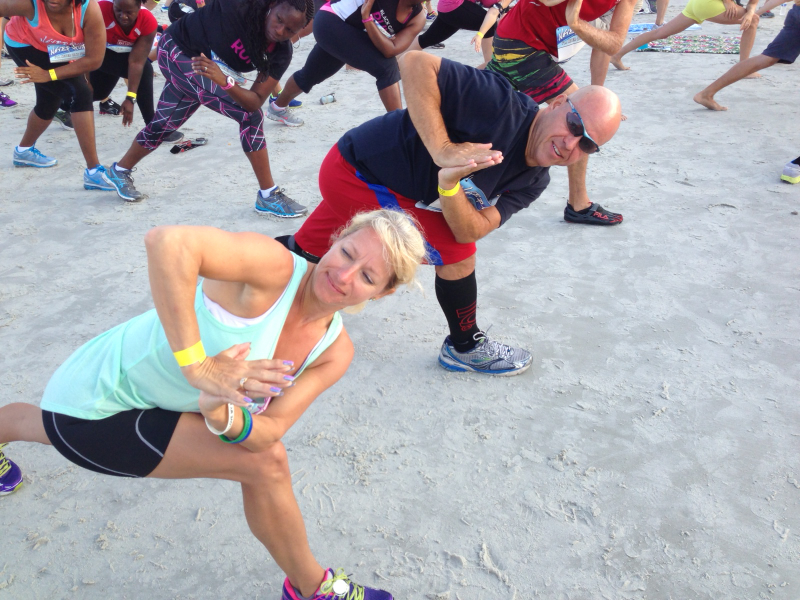
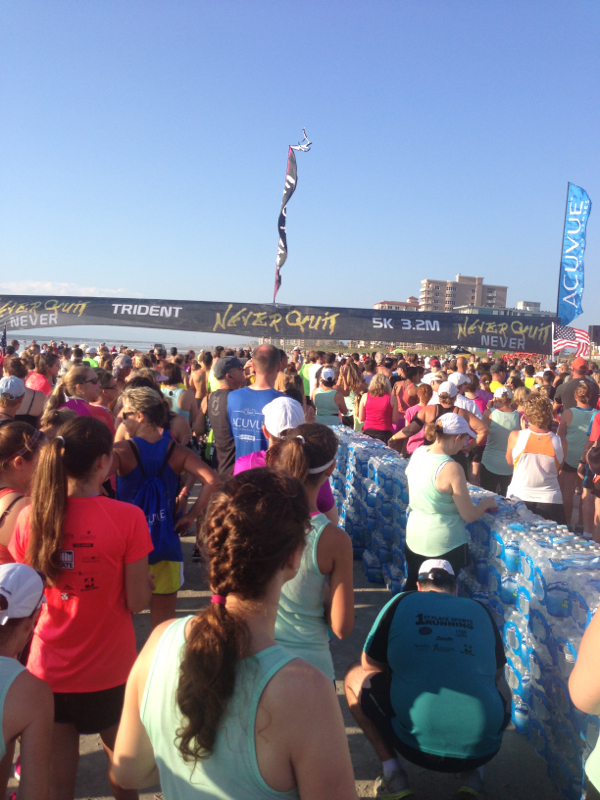
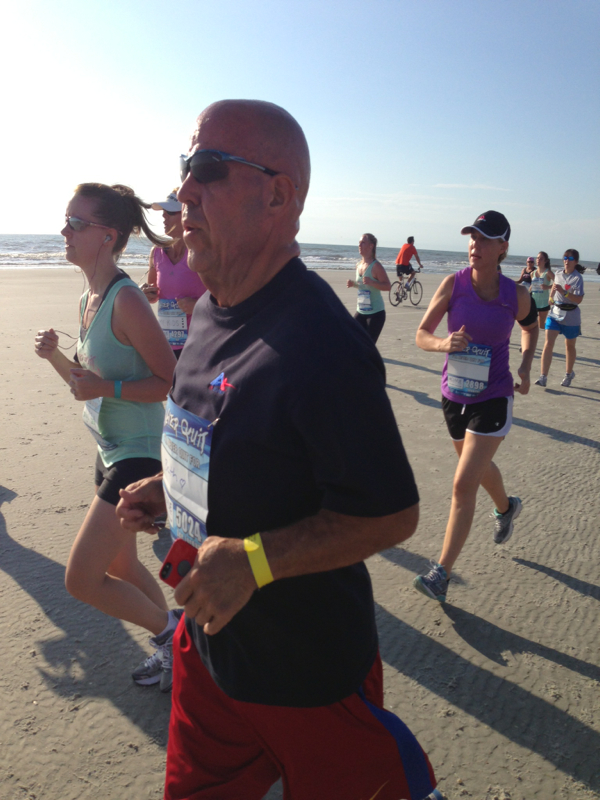
The LapBand may not be a "magic pill" but it does provide Hope and Hope Is what Powers the life changing transformation we all seek. Pain may have gotten me to the surgeon but HOPE set me free from the prison of my body. At over 450 lbs and on oxygen I started with 30 seconds of exercise and increase it 30 seconds every day. Life is Filled Fun and Free Today - setting record with largest beach Yoga and then running on the largest all beach 5k the "Never Quit" how appropriate for us that battle obesity, huh ? I am here to say NEVER QUIT!! Pics from todayHey Creek! Awesome brotha!! Now ... What's the plan of action ? Can you schedule and train for another event ? Maybe as it turns fall ... Around Halloween - good way to stay focused and give you extra incentive ? Hit me up and let me know - time to get to the next level, You can do it : ) Lee

Account
Navigation
Search
Configure browser push notifications
Chrome (Android)
- Tap the lock icon next to the address bar.
- Tap Permissions → Notifications.
- Adjust your preference.
Chrome (Desktop)
- Click the padlock icon in the address bar.
- Select Site settings.
- Find Notifications and adjust your preference.
Safari (iOS 16.4+)
- Ensure the site is installed via Add to Home Screen.
- Open Settings App → Notifications.
- Find your app name and adjust your preference.
Safari (macOS)
- Go to Safari → Preferences.
- Click the Websites tab.
- Select Notifications in the sidebar.
- Find this website and adjust your preference.
Edge (Android)
- Tap the lock icon next to the address bar.
- Tap Permissions.
- Find Notifications and adjust your preference.
Edge (Desktop)
- Click the padlock icon in the address bar.
- Click Permissions for this site.
- Find Notifications and adjust your preference.
Firefox (Android)
- Go to Settings → Site permissions.
- Tap Notifications.
- Find this site in the list and adjust your preference.
Firefox (Desktop)
- Open Firefox Settings.
- Search for Notifications.
- Find this site in the list and adjust your preference.