Start here
Where are you in your journey?
Choose the path that fits today. We’ll take you to the most useful discussions.
- GLP-1 medication Zepbound, Wegovy, access, side effects, progress, and support.
- Before surgery Compare procedures, plan ahead, and get honest pre-op answers.
- Post-op Recovery, food stages, symptoms, and support.
- Long-term Regain, labs, habits, and life after the honeymoon.
- Revision Explore revision options, complications, and next steps.

Alex Brecher
Founder
-
Joined
-
Last visited
Everything posted by Alex Brecher
-
This is something I'm looking at adding but I must say I (personally) think it's a lot easier on the eyes if everyone uses the same size, font and color. I take it you disagree ?
-
We definitely will be able to modify the chat room to our members liking. Keep the feedback coming and we'll try our best to accommodate everyone as much as possible.
-
<br /><br /><br /> Go to the bottom of the site and you'll see a drop down box. Select VST Mobile as your skin. That should resolve your issues at work.
-
Give it a few days. Personally I think the navigation is a lot better. We're planning to add quite a few features to the site and we couldn't do it with our old platform. We're going to make changes to the chat based on your feedback. The previous chat software was too server intensive and causing too many issues. “Our dilemma is that we hate change and love it at the same time; what we really want is for things to remain the same but get better.” - Sydney J. Harris
-
I noticed this as well. We're going to update it shortly so it's more readable.
-
Have you tried going to http://VerticalSleeveTalk.com from your phone and selecting the "VST mobile skin" at the bottom of the page ?
-
You can also use our mobile skin directly from your mobile devices browser. Just go to http://VerticalSleeveTalk.com and it should automatically take you to our mobile skin. If for some reason it doesn't please select the skin from the drop down all the way at the bottom of our home page.
-
We've added an iPhone/iPad App. Please click here for more info. I've also added a simple tutorial area which should show you how to modify your settings and some other features you might be looking for. Click here to view please. We're going to add a few new skins our members can select which should alleviate some issues with color and fonts.
-
Now you can catch up with VerticalSleeveTalk even when you're on the go, with the new iPhone/iPad application. Quick access to your favorite communities Add your favorite communities to the application home screen, for quick access and automatic login. Update your status across the net The app allows you to update your status within the community, as well as Twitter & Facebook - all at once. Push notifications NEW Get notified of new topics, personal conversations and much more via Push notifications. Upload photos to Gallery Snap photos with the camera, or select others you've taken, then upload them right into your albums within Gallery. Streamlined forum view The app displays forums using our great mobile skin - specially designed for mobile devices - so you can see content quickly and easily. Easy sharing On any page in the community, you can hit the Share button to email a link to your friends and family. Plus MANY other features. We hope to have our own VST app shortly. This one is AMAZINg and I use it myself on my iPad. GET IT HERE FREE!
-
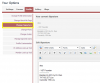
You can also set the View New Content link to show new content since your last visit or all new content you haven't read. You can set this in My Settings : To update your signature, you'd go to the same area accessible by clicking on your name at the top left of the site and then going to:
-
We're going to listen to all member feedback and suggestions and update the site accordingly. We still have quite a few updates and changes coming. Any change isn't easy but we believe that this new platform we've moved over to will benefit everyone.
-
Top left of site. Do you see your Avatar and "Signed in as Oregondaisy" with a drop down arrow ? Click the arrow and you'll see all your settings.

-
Good point, as a guy I can relate to what you're saying We're planning to provide our members with a few skins they can select to use for our site. I know some are definitely more manly than the current one in use. It should be available in the top right hand corner of the web site in a few weeks.
-
Thanks for the reminder The forums have been updated.
-
I'm sorry but this focus group is no longer active.
-
We've started a new forum for the Total Gastric Vertical Plication Sleeve Surgery at Total Gastric Vertical Plication Sleeve Surgery - Vertical Sleeve Gastrectomy Surgery (VSG) Forum . We plan on launching a community dedicated to this surgery shortly.
-
I recently read this question on our forum that I wanted to share: I’ve seen a few ads on TV lately about the LAP BAND and I wondered if anyone out there knew where I might get a copy? Many of our members have seen them as well and if we had a place to go see them again that would be great. Thanks! Please see attached for the 4 LAP-BAND commercials currently running. Straight Talk - Absolution.wmv Straight Talk - Band vs Bypass.wmv Straight Talk - Cost.wmv Straight Talk - Health.wmv
-
I plan on launching a community just like this one specifically for sleeve plication. I'll post more info here in a few weeks.
-
Done and deleted, thanks.
-
In which section would you like the Trucker forum ? Any creative names in mind ?
-
Thanks for letting me know!
-
Please PM me with the url. I'll give it a whirl and see what the issue is.
-
Go to the picture in Photobucket. You'll see one of the items beneath the photo called "Direct Link" Copy the URL code for your Direct Link Now click here to modify your profile picture You'll see: ---------------------------------- Custom Profile Picture You may upload a new custom image using the controls below. Option 1 - Enter the URL to the Image on Another Website ---------------------------------- Paste the "Direct Link" url beneath Option 1 Click save changes
-
I don't agree with censorship either. LBT and VST were specifically created with that in mind. It bothers me greatly any time I must delete a post or thread. I personally underwent WLS and my intent and purpose is to help others who are going through the same ordeal. Before you shoot off your mouth again, I'd take these items in to account: 1) There are people who are PAID to post negative items about surgeons 2) I'm personally aware of multiple horror stories that were complete fabrications 3) I see the IP addresses of all members. When I see someone who has 15 different accounts, I have the absolute right to believe that they are up to no good and yes I do delete posts that are absolutely untrue 4) Coordinators (AKA WLS sales people) are fiercely competitive and will do almost anything in order to make sure that you book with their surgeon. Over the years we've nailed more than 10 coordinators who were up to no good on our forums. They were dealt with quietly and behind the scenes, so the reputation of the surgeons they were representing wasn't tarnished. I think this was a big mistake and I'm debating making all of this information readily available to the public You aren't aware of what truly goes on behind the scenes. I try my hardest to make sure that true and accurate information is disseminated, not the other way around.
-
I don't like the way ads and inline ads are placed throughout the site either. We're planning a major overhaul which should make the ads less intrusive so you'll have a better focus on the content. The inline ads are similar to what Google does with their search key words. Someone has to pay our bills here.