




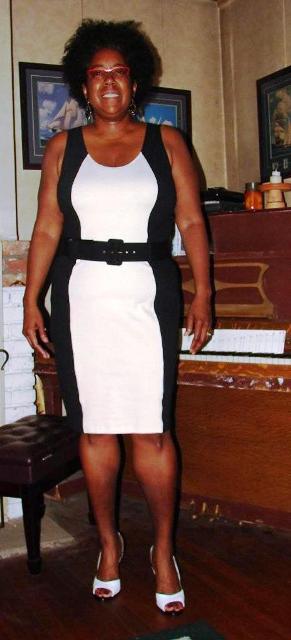
Goal dress - helping me to focus and get great results!

- 889 views
- View DivaStyleCoach's images
Before I recieved my lap-band, I would NEVER have looked at, let alone purchased a dress like this. Too body-conscious, too form-fitting, too...everything! I finally tried this dress on after nearly a year of hard work and sticking to my eating and exercise plan after I was banded, and while I knew I still needed to "tighten up", tis dress fit a WHOLE lot better than it would have a year prior.
This was WITHOUT a briefer - and about 50 lbs down. If you've got one or two outfits in your closet that you can't quite fit into, keep them around for periodic try-ons. Especially if they are within 1 or 2 sizes of being a good fit. This dress was a size 18, down from my starting size of a 24. Progress is made day by day, baby steps along the way. Baby steps forward are STILL steps forward!
Recommended Comments
Join the conversation
You can post now and register later. If you have an account, sign in now to post with your account.