




First day of my clean eating kick :o

By Guest
· 414 views
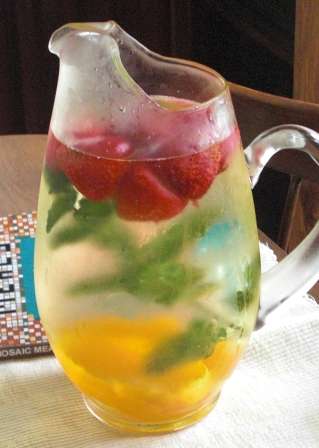 Soo today is my first official day of clean eating and it hasn't been that bad, I feel kinda hungry, so i've been nomming on carrots and strawberries.I had some gluten/wheat free waffles for breakfast, salad with chicken for lunch, a granola bar, and some delicious quinoa chillli for dinner. Then cuz i only had 1000 calories i had a turkey sandwich on rye with spin-NATCH. hehehe. It's been pretty tasty so far, but i still feel hun-gray, i think i just need time to adjust, prolly like a week or so and itll be easier x...x. I then jammed out to some bob marley with my dad in the living room, and now i'm just chiling, freaking out about my AP eng exam this friday, and us history on wednesday when those things are over i'll finally have a life and I can make some youtube videos!!Something delicious i discovered while tumblering is flavored water! You guys who are already sleeved have to drink a lot of water right? I need to drink it in the morning but at such an early time i just can't stand it for some reason.Ok so I got a platic juice container that was empty,filled it with water and chopped up 2 lemons and some strawberries so i can drink it tomorrow :3theoretically you can use any fruits like.. blueberries, peaches, pears, whatever you like, itll give your morning a nice kick.I only used a plastic juice container cuz im rachet but if you have a glass one its prolly a better idea to use that thing o...o
- Guest
-
 1
1
Recommended Comments