Skip to content
View in the app

A better way to browse. Learn more.

BariatricPal

A full-screen app on your home screen with push notifications, badges and more.

To install this app on iOS and iPadOS
  1. Tap the Share icon in Safari
  2. Scroll the menu and tap Add to Home Screen.
  3. Tap Add in the top-right corner.
To install this app on Android
  1. Tap the 3-dot menu (⋮) in the top-right corner of the browser.
  2. Tap Add to Home screen or Install app.
  3. Confirm by tapping Install.

Join BariatricPal free

  • Ask your own questions
  • Reply and follow topics
  • Message other members
  • No cost, no spam

You are my Heroes

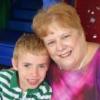
blogs/blog-0295499001367852280.jpgI want each of you to know that you are my heroes. The more I read about each of you, the more I admire you.


My prayer for you all this week is for courage, self confidence, energy, hope, and love. Where ever you are on your journey, I applaud you. Pat yourself on the back. You are a great person.


As you look in the mirror each day this week, say out loud, "I am someone's hero."


Whether you take one step at a time or many steps at once, you will get there. Looking back is only for learning, not dwelling on.


Judy

1 Comment

Recommended Comments

Guest
Add a comment...

Account

Navigation

Search

Search

Configure browser push notifications

Chrome (Android)
  1. Tap the lock icon next to the address bar.
  2. Tap Permissions → Notifications.
  3. Adjust your preference.
Chrome (Desktop)
  1. Click the padlock icon in the address bar.
  2. Select Site settings.
  3. Find Notifications and adjust your preference.