




Awesome Detox Tea!

By Amberlydw8
· 523 views
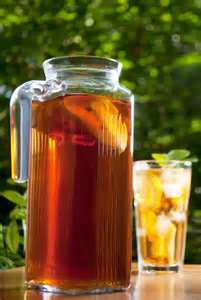 Hi guys...
So, I am the person who if I can find a natural, fresh way to make something I will do it...
I know everyone is told drink Chrystal Light... Well, its not bad for me, but what if I can make something that tastes better that is even good for me and adding to my health not just my fluid intake...
I put together two different detox drink recopies and it tastes great! And its great for you!
Not only would it be good for pre op when we are trying to shrink our livers, but its good for after surgery too because of all the toxins that are released in our system when the storage cell (fat cells) are being burned. I just had to share this with you all...
2 gallons of water
3 or 4 bags of dandelion tea (or liver detox tea)
1 lemon sliced up
1/2 a fresh mango sliced up
2 oz fresh ginger sliced
1/2 cup pure cranberry juice (no sugar added)
I added 3 or 4 little packs of Splenda for taste
Let it all sit in a pitcher for an hour or two and drink away! I leave all the fruit in it the whole time and just keep adding more water with a litle more juice and splenda till all the flavor is gone from the fruit.
It should stay good in the fridge for about 2 or 3 days
Its pretty good stuff!!!

Recommended Comments