




Wanna See My Holes?

By joatsaint
· 1,521 views
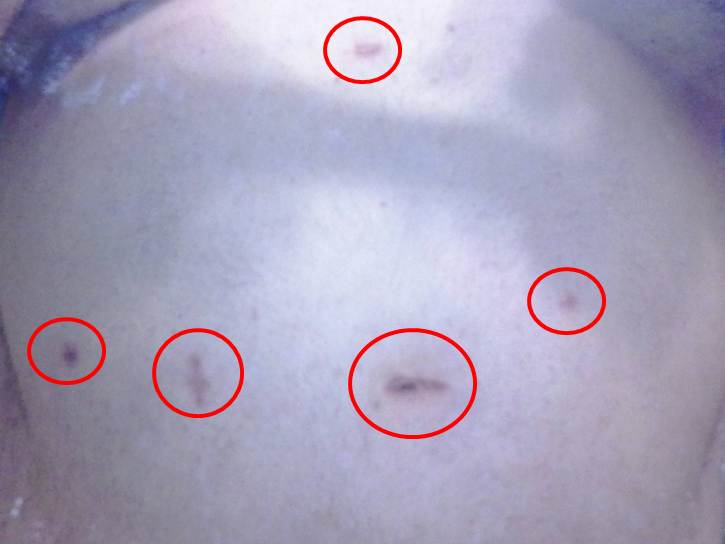 Ok, get your minds out of the gutter! This is just to show anyone that cares what the scars from surgery can look like at 8 weeks. The biggest scar is where they pulled the stomach leftovers out during surgery and it's about 2 inches long, the rest could be covered with a dime.
You'd think after 12 years of experience, my doctor could put the scars in a more creative layout! At least he could have tried to make a happy face or something. 

Recommended Comments