




Skip to content
View in the app

A better way to browse. Learn more.

BariatricPal

A full-screen app on your home screen with push notifications, badges and more.

To install this app on iOS and iPadOS
  1. Tap the Share icon in Safari
  2. Scroll the menu and tap Add to Home Screen.
  3. Tap Add in the top-right corner.
To install this app on Android
  1. Tap the 3-dot menu (⋮) in the top-right corner of the browser.
  2. Tap Add to Home screen or Install app.
  3. Confirm by tapping Install.

Join BariatricPal free

  • Ask your own questions
  • Reply and follow topics
  • Message other members
  • No cost, no spam

Still Wrapping The Head Around All This
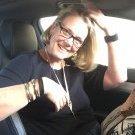
and...I am trying to be calm and enjoy liquids...hehehe.


I can drink to much.Will chat with the surgeon tomorrow.Why can I drink so easily when my friend thats 2 years out cant....with her it slow,slow,slow!


Am freaked out about weight loss that isnt too gr8 but its coming down.


This is a crazy emotional road i've chosen,it seems.


O yes,I went for a proper walk today.


Xxo

1 Comment

Recommended Comments

ShapeShifter

LAP-BAND Patients

Did you have the same surgeon as your friend. I was reading that surgeons may use different sized (is it) boagies or bougies? Must go back and read more on that. Perhaps you have a little more room than she, and that may not be a bad thing.

Happy for you and your progress.

Guest
Add a comment...

Account

Navigation

Search

Search

Configure browser push notifications

Chrome (Android)
  1. Tap the lock icon next to the address bar.
  2. Tap Permissions → Notifications.
  3. Adjust your preference.
Chrome (Desktop)
  1. Click the padlock icon in the address bar.
  2. Select Site settings.
  3. Find Notifications and adjust your preference.