




Skip to content
View in the app

A better way to browse. Learn more.

BariatricPal

A full-screen app on your home screen with push notifications, badges and more.

To install this app on iOS and iPadOS
  1. Tap the Share icon in Safari
  2. Scroll the menu and tap Add to Home Screen.
  3. Tap Add in the top-right corner.
To install this app on Android
  1. Tap the 3-dot menu (⋮) in the top-right corner of the browser.
  2. Tap Add to Home screen or Install app.
  3. Confirm by tapping Install.

My Daughter of 11yrs old is my main support!
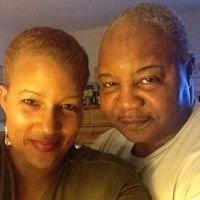
My youngest daughter of 11 yrs old comes to me and says mommy when you go on your diet with your surgery can I go

on the diet with you,and of course I didnt tell her no because she is a litthe overweight to,so when I went to Bj's club to check out the

protein drinks she came to me with a bottle of flinstone vitmans chewable-gummies and said mommy i'll need these and we will need more protein drinks because I like the way it taste,,,,I was overwelmed with the responce that I got from her when I told her that I was gonna have surgery to shrink my stomach to loose weight,she looked at me and said mom when you go on your diet I am going on a diet with you so you need make sure that you get extra stuff when you go buy some.....that really made me feel like im not in this alone anymore....and it brought tears to my eyes .....

1 Comment

Recommended Comments

ATLGirl

Gastric Sleeve Patients

So sweet. And she is learning now, things that will last her a lifetime

Guest
Add a comment...

Account

Navigation

Search

Search

Configure browser push notifications

Chrome (Android)
  1. Tap the lock icon next to the address bar.
  2. Tap Permissions → Notifications.
  3. Adjust your preference.
Chrome (Desktop)
  1. Click the padlock icon in the address bar.
  2. Select Site settings.
  3. Find Notifications and adjust your preference.