Skip to content
View in the app

A better way to browse. Learn more.

BariatricPal

A full-screen app on your home screen with push notifications, badges and more.

To install this app on iOS and iPadOS
  1. Tap the Share icon in Safari
  2. Scroll the menu and tap Add to Home Screen.
  3. Tap Add in the top-right corner.
To install this app on Android
  1. Tap the 3-dot menu (⋮) in the top-right corner of the browser.
  2. Tap Add to Home screen or Install app.
  3. Confirm by tapping Install.

Join BariatricPal free

  • Ask your own questions
  • Reply and follow topics
  • Message other members
  • No cost, no spam

110lbs? Is that too small? I don't know

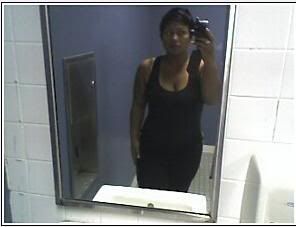
I'm thinking I want to push for 110lbs but is that too small? I have no idea. I gotta figure out how fit, how much fat% I want to have etc. I'm lost. I'm about to get into some serious body building and I need to figure this out. Is it even important to be a certain weight?


11060605.jpg

2 Comments

Recommended Comments

Telly

LAP-BAND Patients

I'm thinking I want to push for 110lbs but is that too small? I have no idea. I gotta figure out how fit, how much fat% I want to have etc. I'm lost. I'm about to get into some serious body building and I need to figure this out. Is it even important to be a certain weight?

11060605.jpg

Guest le2sha

Guest le2sha

Guests

I just wanted to say, YOU ARE SO BEAUTIFUL! 110 is kinda small but I think you look great now! How about 115-130?

Guest
Add a comment...

Account

Navigation

Search

Search

Configure browser push notifications

Chrome (Android)
  1. Tap the lock icon next to the address bar.
  2. Tap Permissions → Notifications.
  3. Adjust your preference.
Chrome (Desktop)
  1. Click the padlock icon in the address bar.
  2. Select Site settings.
  3. Find Notifications and adjust your preference.