




Skip to content
View in the app

A better way to browse. Learn more.

BariatricPal

A full-screen app on your home screen with push notifications, badges and more.

To install this app on iOS and iPadOS
  1. Tap the Share icon in Safari
  2. Scroll the menu and tap Add to Home Screen.
  3. Tap Add in the top-right corner.
To install this app on Android
  1. Tap the 3-dot menu (⋮) in the top-right corner of the browser.
  2. Tap Add to Home screen or Install app.
  3. Confirm by tapping Install.

Going for try #2

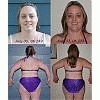
Since my last fill was unsucessful I have another scheduled for the 18th. I'm toning up good with all the walking I've been doing - rushing for public transportation - I'm hoping that is enough to make this fill sucessful.


My fellow bandster (banded on the same day) has already had two fills! I feel good about my progress, but knowing the holidays are coming, I'd rather have better restriction! This may be my first holiday in a very long time where I LOSE rather than gain the weight!


Also, just an FYI for anyone needing fills in NW Washington area....My fill center just launched an information site. www.northwestfills.com

1 Comment

Recommended Comments

LittleBird

LAP-BAND Patients

Since my last fill was unsucessful I have another scheduled for the 18th. I'm toning up good with all the walking I've been doing - rushing for public transportation - I'm hoping that is enough to make this fill sucessful.

My fellow bandster (banded on the same day) has already had two fills! I feel good about my progress, but knowing the holidays are coming, I'd rather have better restriction! This may be my first holiday in a very long time where I LOSE rather than gain the weight!

Also, just an FYI for anyone needing fills in NW Washington area....My fill center just launched an information site. www.northwestfills.com

Guest
Add a comment...

Account

Navigation

Search

Search

Configure browser push notifications

Chrome (Android)
  1. Tap the lock icon next to the address bar.
  2. Tap Permissions → Notifications.
  3. Adjust your preference.
Chrome (Desktop)
  1. Click the padlock icon in the address bar.
  2. Select Site settings.
  3. Find Notifications and adjust your preference.