




Skip to content
View in the app

A better way to browse. Learn more.

BariatricPal

A full-screen app on your home screen with push notifications, badges and more.

To install this app on iOS and iPadOS
  1. Tap the Share icon in Safari
  2. Scroll the menu and tap Add to Home Screen.
  3. Tap Add in the top-right corner.
To install this app on Android
  1. Tap the 3-dot menu (⋮) in the top-right corner of the browser.
  2. Tap Add to Home screen or Install app.
  3. Confirm by tapping Install.

Join BariatricPal free

  • Ask your own questions
  • Reply and follow topics
  • Message other members
  • No cost, no spam

Had my first fill on 08/30/2010
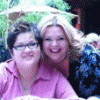
Sorry I havent posted in awhile. I was very busy this last couple weeks. So no change in the scale a bit frustrating. However i have been hiking a lot 2-3 times a week and my cloths are starting to fall off of me. Its teaching me not to watch the scale to pay attention to my body and the changes its making it much more rewarding to feel sexy in my cloths then to worry about the scale.


So hiking is my new found passion my girlfriend and our kids do it together and it has been such an amazing experience :tt2:

The feeling of a great work out and accomplishment when you stand at the top of the mountain and look down it is breath taking. Just bought new hiking shoes and a fanny pack ready to take on new mountains.

With each mountain I climb its one more step towards my goal.

0 Comments

Recommended Comments

There are no comments to display.

Guest
Add a comment...

Account

Navigation

Search

Search

Configure browser push notifications

Chrome (Android)
  1. Tap the lock icon next to the address bar.
  2. Tap Permissions → Notifications.
  3. Adjust your preference.
Chrome (Desktop)
  1. Click the padlock icon in the address bar.
  2. Select Site settings.
  3. Find Notifications and adjust your preference.