




Skip to content
View in the app

A better way to browse. Learn more.

BariatricPal

A full-screen app on your home screen with push notifications, badges and more.

To install this app on iOS and iPadOS
  1. Tap the Share icon in Safari
  2. Scroll the menu and tap Add to Home Screen.
  3. Tap Add in the top-right corner.
To install this app on Android
  1. Tap the 3-dot menu (⋮) in the top-right corner of the browser.
  2. Tap Add to Home screen or Install app.
  3. Confirm by tapping Install.

May first Social Outting since the banding
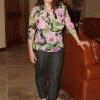
I went to a wedding over the week end and loved seeing the reaction of some of my friends that have not seen me since Christmas. It was nice not sitting in a corner hoping no will notice me and actually getting up to dance and socialize.I am looking forward to the journey. Have a nice week everyone.:)

1 Comment

Recommended Comments

LoseIt!

LAP-BAND Patients

AW...what a great non-scale victory!! :)

Guest
Add a comment...

Account

Navigation

Search

Search

Configure browser push notifications

Chrome (Android)
  1. Tap the lock icon next to the address bar.
  2. Tap Permissions → Notifications.
  3. Adjust your preference.
Chrome (Desktop)
  1. Click the padlock icon in the address bar.
  2. Select Site settings.
  3. Find Notifications and adjust your preference.