




Skip to content
View in the app

A better way to browse. Learn more.

BariatricPal

A full-screen app on your home screen with push notifications, badges and more.

To install this app on iOS and iPadOS
  1. Tap the Share icon in Safari
  2. Scroll the menu and tap Add to Home Screen.
  3. Tap Add in the top-right corner.
To install this app on Android
  1. Tap the 3-dot menu (⋮) in the top-right corner of the browser.
  2. Tap Add to Home screen or Install app.
  3. Confirm by tapping Install.

Keeping my head focused on the REAL goal!!
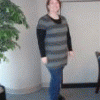
I got up this morning and stepped on the scale as I do every morning. I weighed 235.6 which is six tenths of a pound from my next major goal of losing 50 pounds! Still have a bit to go. No worries.


I continued to get ready and as part of that went to the bathroom. Without TMI, a lightbulb went off above my head and I weighed again. 235.2! Only 2 tenths away from my next goal! I almost wanted to cut off a finger. Ha!


But then I realized that whether my scale read 235.6, 235.2 or 235.0 this morning, I still look the same this morning. My true goal is to feel better and to look better. That .2 will come off and when it does I will be very excited! But no frustrations, because things are moving steadily in the RIGHT DIRECTION! And that is what is important.


I hope you all have a WONDERFUL weekend!!

2 Comments

Recommended Comments

Sara09

LAP-BAND Patients

Good for you....and YES it WILL come off and celebrate for reaching the goal that you've set for yourself. Keep up the great work!

amanda3t

LAP-BAND Patients

I get nakey before a weigh in at home. kekeke.

Today I stood on the scale with clothes (was busy), and it said what it did yesterday when I was nakey. So that means, I lost some weight!! I cant wait for tomorrow when I take a shower (and have to get nakey again, so can have a quick peek at the scale again!!)

Guest
Add a comment...

Account

Navigation

Search

Search

Configure browser push notifications

Chrome (Android)
  1. Tap the lock icon next to the address bar.
  2. Tap Permissions → Notifications.
  3. Adjust your preference.
Chrome (Desktop)
  1. Click the padlock icon in the address bar.
  2. Select Site settings.
  3. Find Notifications and adjust your preference.