




Skip to content
View in the app

A better way to browse. Learn more.

BariatricPal

A full-screen app on your home screen with push notifications, badges and more.

To install this app on iOS and iPadOS
  1. Tap the Share icon in Safari
  2. Scroll the menu and tap Add to Home Screen.
  3. Tap Add in the top-right corner.
To install this app on Android
  1. Tap the 3-dot menu (⋮) in the top-right corner of the browser.
  2. Tap Add to Home screen or Install app.
  3. Confirm by tapping Install.

I'm back....stronger than ever!
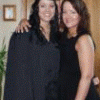
Welcome to my Blog~~

It's been awhile since i have bloged. I am almost done with college so i can give more time to myself and THIS JOURNEY IN MY LIFE. 2010 is the year that I will get to goal, for myself..... Week one, SW 191LBS DOWN to 187, that's a good start to a new me, always open for lots of encouragement.

3 Comments

Recommended Comments

Minnesotalady

LAP-BAND Patients

Welcome to my Blog~~

It's been awhile since i have bloged. I am almost done with college so i can give more time to myself and THIS JOURNEY IN MY LIFE. 2010 is the year that I will get to goal, for myself..... Week one, SW 191LBS DOWN to 187, that's a good start to a new me, always open for lots of encouragement.

auntiegoo

LAP-BAND Patients

Awesome start to a great new year!!!!!2010 is my year also!!!

Minnesotalady

LAP-BAND Patients

I hope you are right. I so bad want to get to goal.

Guest
Add a comment...

Account

Navigation

Search

Search

Configure browser push notifications

Chrome (Android)
  1. Tap the lock icon next to the address bar.
  2. Tap Permissions → Notifications.
  3. Adjust your preference.
Chrome (Desktop)
  1. Click the padlock icon in the address bar.
  2. Select Site settings.
  3. Find Notifications and adjust your preference.