




Skip to content
View in the app

A better way to browse. Learn more.

BariatricPal

A full-screen app on your home screen with push notifications, badges and more.

To install this app on iOS and iPadOS
  1. Tap the Share icon in Safari
  2. Scroll the menu and tap Add to Home Screen.
  3. Tap Add in the top-right corner.
To install this app on Android
  1. Tap the 3-dot menu (⋮) in the top-right corner of the browser.
  2. Tap Add to Home screen or Install app.
  3. Confirm by tapping Install.

July 27, no fill this month/5lbs away from 100lbs.
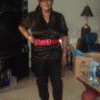
Today was my dcotors appointment. its been six months. he did not give me a fill today because. i lost 14lbs. between june-july.maybe i am at my sweet spot. i don,t know yet. but guess what i am down 95lbs. 5lbs away from the big 100lbs.so far their is no problems.i exercise five times a day on my stationary bike.the nurse said you are just shrinking away. what a nice compliment. so next month i go back to get check out again.i went from 324 to 233. wow. i love my band.:blink::ohmy::thumbup:. hope everyone is doing great.

3 Comments

Recommended Comments

sil

LAP-BAND Patients

Today was my dcotors appointment. its been six months. he did not give me a fill today because. i lost 14lbs. between june-july.maybe i am at my sweet spot. i don,t know yet. but guess what i am down 95lbs. 5lbs away from the big 100lbs.so far their is no problems.i exercise five times a day on my stationary bike.the nurse said you are just shrinking away. what a nice compliment. so next month i go back to get check out again.i went from 324 to 233. wow. i love my band.:P:blush::thumbup:. hope everyone is doing great.

Arb

LAP-BAND Patients

WOW! Congratulations!

imaluckydog

LAP-BAND Patients

You are doing well keep it up. Best wishes and happy Bandlandia to you. Kathy imaluckydog

Guest
Add a comment...

Account

Navigation

Search

Search

Configure browser push notifications

Chrome (Android)
  1. Tap the lock icon next to the address bar.
  2. Tap Permissions → Notifications.
  3. Adjust your preference.
Chrome (Desktop)
  1. Click the padlock icon in the address bar.
  2. Select Site settings.
  3. Find Notifications and adjust your preference.