




Skip to content
View in the app

A better way to browse. Learn more.

BariatricPal

A full-screen app on your home screen with push notifications, badges and more.

To install this app on iOS and iPadOS
  1. Tap the Share icon in Safari
  2. Scroll the menu and tap Add to Home Screen.
  3. Tap Add in the top-right corner.
To install this app on Android
  1. Tap the 3-dot menu (⋮) in the top-right corner of the browser.
  2. Tap Add to Home screen or Install app.
  3. Confirm by tapping Install.

Join BariatricPal free

  • Ask your own questions
  • Reply and follow topics
  • Message other members
  • No cost, no spam
A blog by Pegmurph in General
  • Entries

    2
  • Comments

    9
  • Views

    770

About this blog

A weight loss surgery blog by Pegmurph on BariatricPal. 2 entries on surgery, recovery and progress.

Entries in this blog
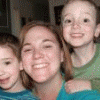
My surgery is 2 weeks from tomorrow. I'm ready to make some changes in my life. This is the only life I have and I don't want to spend it wishing that I was thinner, or had more energy to play with my kids or just clean the house. I'm so nervous though. I keep wondering how I will make it a whole week on clear liquids, or will I be able to stop the bad eating habits I have now. I have heard about people who decide to eat during that first week and become violently ill. That is a motivator right

Account

Navigation

Search

Search

Configure browser push notifications

Chrome (Android)
  1. Tap the lock icon next to the address bar.
  2. Tap Permissions → Notifications.
  3. Adjust your preference.
Chrome (Desktop)
  1. Click the padlock icon in the address bar.
  2. Select Site settings.
  3. Find Notifications and adjust your preference.