Skip to content
View in the app

A better way to browse. Learn more.

BariatricPal

A full-screen app on your home screen with push notifications, badges and more.

To install this app on iOS and iPadOS
  1. Tap the Share icon in Safari
  2. Scroll the menu and tap Add to Home Screen.
  3. Tap Add in the top-right corner.
To install this app on Android
  1. Tap the 3-dot menu (⋮) in the top-right corner of the browser.
  2. Tap Add to Home screen or Install app.
  3. Confirm by tapping Install.

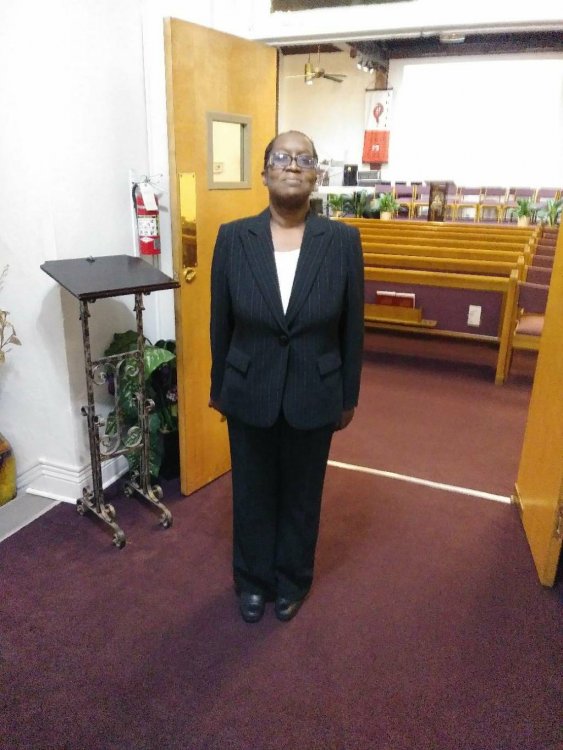
Progress 9months post op

  • Replies 12
  • Views 1.4k
  • Created
  • Last Reply

Top Posters In This Topic

Most Popular Posts

  • Thank u. I start the gym with a personal trainer today to tight up and tone up. Sent from my LG-TP450 using BariatricPal mobile app

  • Congrats! Way to go! I want to be you when I grow up! I'm just 3 months post-op and have another 60 pounds to lose.

  • GreenTealael
    GreenTealael

    Congrats ?

Posted Images

Featured Replies

Congrats! Way to go! I want to be you when I grow up! I'm just 3 months post-op and have another 60 pounds to lose.

Woohoooo! Congrats! You look lovely!!!!!

Way to go Rrusan73!!! (Off topic..is that an SDA church in the pic?)

You look absolutely fabulous!

Amazing! Well done!!

Sent from my SM-G930F using BariatricPal mobile app

14 hours ago, Rrusan73 said:

We it is . that's my religion

Sent from my LG-TP450 using BariatricPal mobile app

Me too! I thought so! ?

Join the conversation

You can post now and register later. If you have an account, sign in now to post with your account.

Guest
Reply to this topic...

Account

Navigation

Search

Search

Configure browser push notifications

Chrome (Android)
  1. Tap the lock icon next to the address bar.
  2. Tap Permissions → Notifications.
  3. Adjust your preference.
Chrome (Desktop)
  1. Click the padlock icon in the address bar.
  2. Select Site settings.
  3. Find Notifications and adjust your preference.