Skip to content
View in the app

A better way to browse. Learn more.

BariatricPal

A full-screen app on your home screen with push notifications, badges and more.

To install this app on iOS and iPadOS
  1. Tap the Share icon in Safari
  2. Scroll the menu and tap Add to Home Screen.
  3. Tap Add in the top-right corner.
To install this app on Android
  1. Tap the 3-dot menu (⋮) in the top-right corner of the browser.
  2. Tap Add to Home screen or Install app.
  3. Confirm by tapping Install.

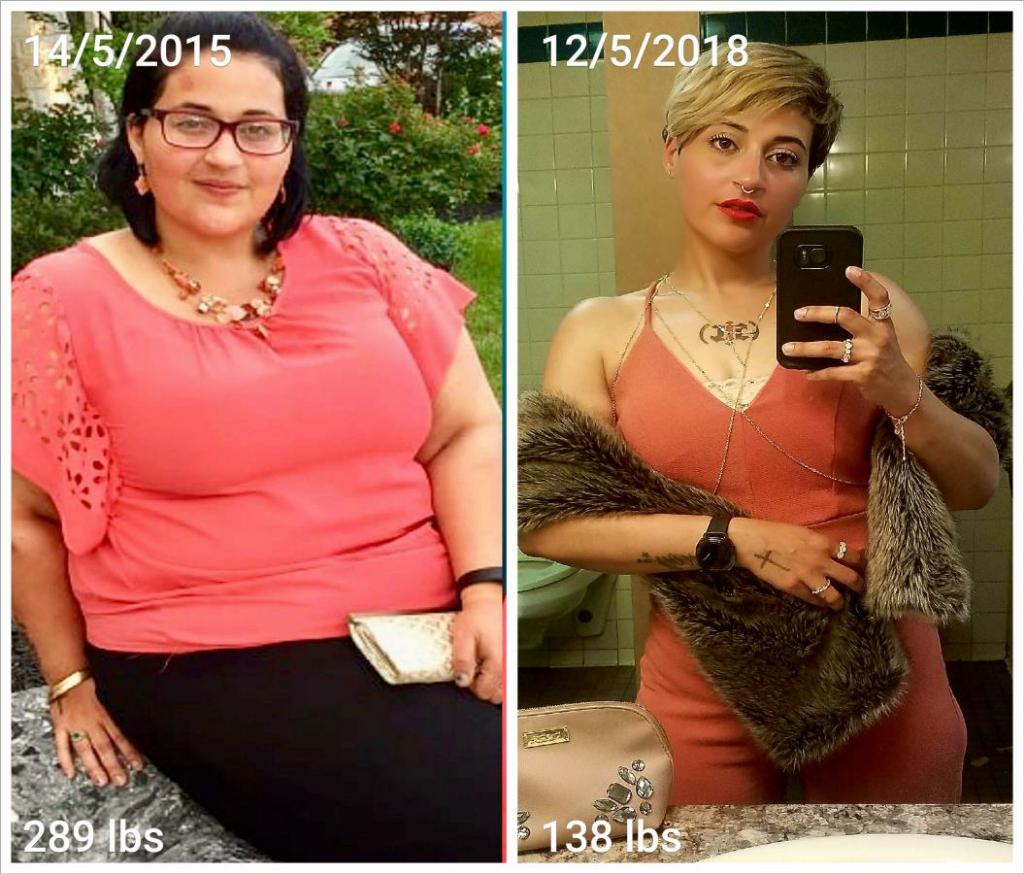
Birthday Differences.

TB20180514_193300_300706793.png

  • Replies 7
  • Views 1k
  • Created
  • Last Reply

Featured Replies

1 hour ago, Iscarelys said:

TB20180514_193300_300706793.png

Wow!!!!!! You look incredible. The haircut looks great on you.

Holy moly! Amazing and great job!

Holy chit batman!! Great look for your face shape!!!

you look fantastic:)

great pics

keep up the good work

kathy

congrats

I love pictures that show such a change, I would never thought it was the same person, hope someday I'll be able to show the world such a change.

Honey you look fabulous!! Great job!! May 18 here I come!!


How cute. Looking real good

Sent from my SM-G950U using BariatricPal mobile app

Archived

This topic is now archived and is closed to further replies.

Trending Products

PatchAid Vitamin Patches

Account

Navigation

Search

Search

Configure browser push notifications

Chrome (Android)
  1. Tap the lock icon next to the address bar.
  2. Tap Permissions → Notifications.
  3. Adjust your preference.
Chrome (Desktop)
  1. Click the padlock icon in the address bar.
  2. Select Site settings.
  3. Find Notifications and adjust your preference.