Skip to content
View in the app

A better way to browse. Learn more.

BariatricPal

A full-screen app on your home screen with push notifications, badges and more.

To install this app on iOS and iPadOS
  1. Tap the Share icon in Safari
  2. Scroll the menu and tap Add to Home Screen.
  3. Tap Add in the top-right corner.
To install this app on Android
  1. Tap the 3-dot menu (⋮) in the top-right corner of the browser.
  2. Tap Add to Home screen or Install app.
  3. Confirm by tapping Install.

Before and After

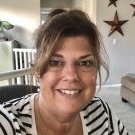
Screenshot_20180512-061914.pngIMG_-4pdkqq.jpg

RNY November 1 ,2017

HW: 298

CW 210

GW1: 150

6 months out, absolutely no regrets. Wish I would have done it sooner!

Hoping by this time next year I will reach my goals.Being 55 years old the weight takes longer to shed but it can be done.

If your doubting getting this operation, don't. If I could do it anyone can. I even quit smoking.

Wishing everyone a wonderful Mother's Day weekend.

Sent from my Nexus 5 using BariatricPal mobile app

  • Replies 8
  • Views 1.1k
  • Created
  • Last Reply

Featured Replies

Congratulations and I notice a huge difference already!


You look just like a Sunshine Tinks should look, congratulations and good wishes for the future.?

You look great!! I will be having surgery 5-18-18 and I have been doubting if I’m doing the right thing!! This pre op diet has really been hard!! But hearing you talk about your experience has given me a brighter outlook!! Thanks!!


Archived

This topic is now archived and is closed to further replies.

Trending Products

PatchAid Vitamin Patches

Account

Navigation

Search

Search

Configure browser push notifications

Chrome (Android)
  1. Tap the lock icon next to the address bar.
  2. Tap Permissions → Notifications.
  3. Adjust your preference.
Chrome (Desktop)
  1. Click the padlock icon in the address bar.
  2. Select Site settings.
  3. Find Notifications and adjust your preference.