Skip to content
View in the app

A better way to browse. Learn more.

BariatricPal

A full-screen app on your home screen with push notifications, badges and more.

To install this app on iOS and iPadOS
  1. Tap the Share icon in Safari
  2. Scroll the menu and tap Add to Home Screen.
  3. Tap Add in the top-right corner.
To install this app on Android
  1. Tap the 3-dot menu (⋮) in the top-right corner of the browser.
  2. Tap Add to Home screen or Install app.
  3. Confirm by tapping Install.

Time for an update

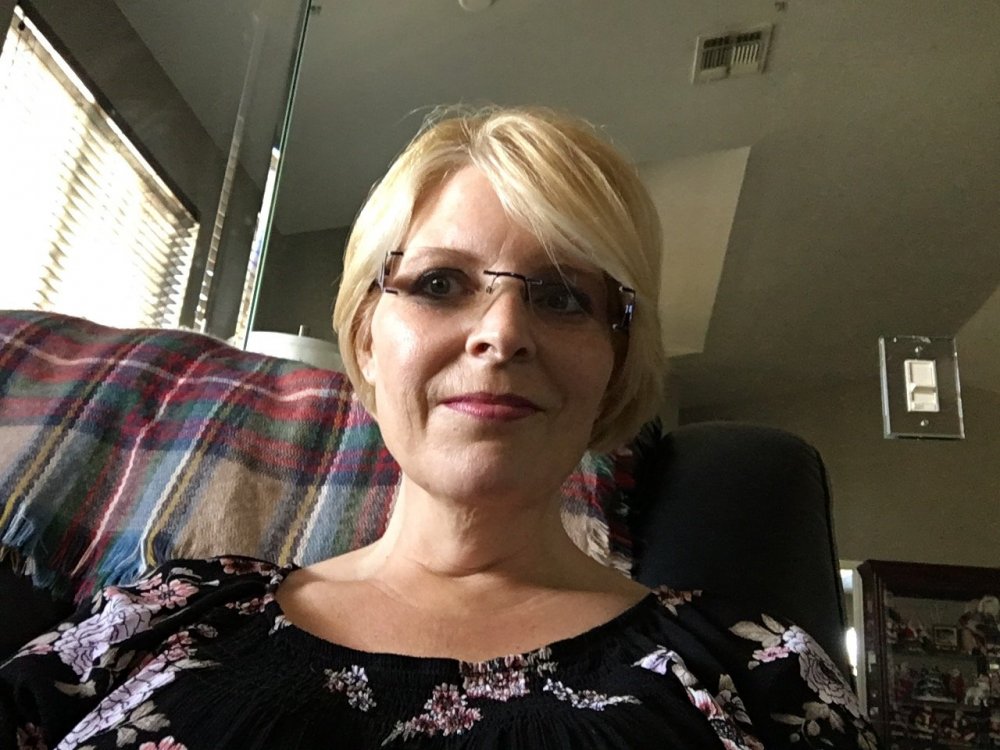
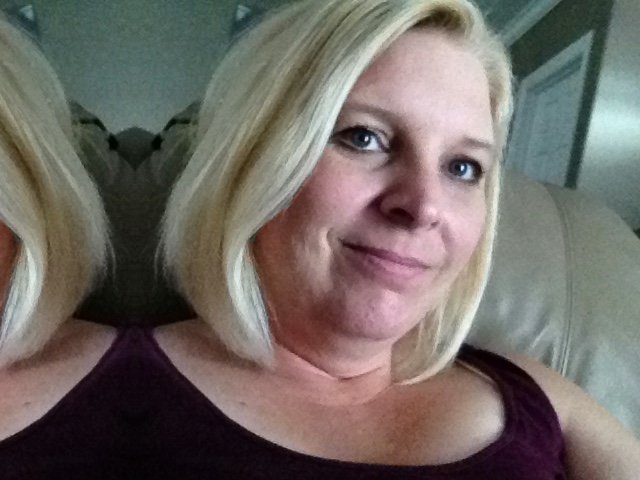
Hey all!! It’s been a while. I started my journey off at 260. My surgery was November 13th. To date I am 185!! That is 75 pounds down!! Any doubters dont wait!! GET THE SLEEVE! It will change your life! Here is. A before and After. Once I get further down I will post full body!! #lovinglife

3CB22062-F2D1-4AE3-9935-59C50B7E47AA.jpeg

C92E05E1-E77C-48F7-BFD1-C0EBE72BF6AC.jpeg

  • Replies 7
  • Views 1.2k
  • Created
  • Last Reply

Featured Replies

Hey all!! It’s been a while. I started my journey off at 260. My surgery was November 13th. To date I am 185!! That is 75 pounds down!! Any doubters dont wait!! GET THE SLEEVE! It will change your life!


Oh my goodness! Thanks for this 75 in 5 months is a huge accomplishment. Can't wait to say the same!

Sent from my SM-G950U using BariatricPal mobile app

What a transformation! You look beautiful!!! Congrats. 75lbs in 5 months is super!!

Amazing! Good job !


Wowza! You look fantastic! Thanks for sharing the inspirational pics!

That’s awesome! We had surgery one day apart and only a few pounds difference! You look awesome


HW: 282.2 lbs
SW: 256.4 lbs
CW: 173.0 lbs

You look great!!! Wahoo!

Great accomplishment so far!!

ps -- you should update your stats on the left!

Edited by Apple203

Archived

This topic is now archived and is closed to further replies.

Trending Products

PatchAid Vitamin Patches

Account

Navigation

Search

Search

Configure browser push notifications

Chrome (Android)
  1. Tap the lock icon next to the address bar.
  2. Tap Permissions → Notifications.
  3. Adjust your preference.
Chrome (Desktop)
  1. Click the padlock icon in the address bar.
  2. Select Site settings.
  3. Find Notifications and adjust your preference.