Skip to content
View in the app

A better way to browse. Learn more.

BariatricPal

A full-screen app on your home screen with push notifications, badges and more.

To install this app on iOS and iPadOS
  1. Tap the Share icon in Safari
  2. Scroll the menu and tap Add to Home Screen.
  3. Tap Add in the top-right corner.
To install this app on Android
  1. Tap the 3-dot menu (⋮) in the top-right corner of the browser.
  2. Tap Add to Home screen or Install app.
  3. Confirm by tapping Install.
  • Appearance

Join BariatricPal free

  • Ask your own questions
  • Reply and follow topics
  • Message other members
  • No cost, no spam

Write this date down!

  • Popular Post

Today January 22, 2018

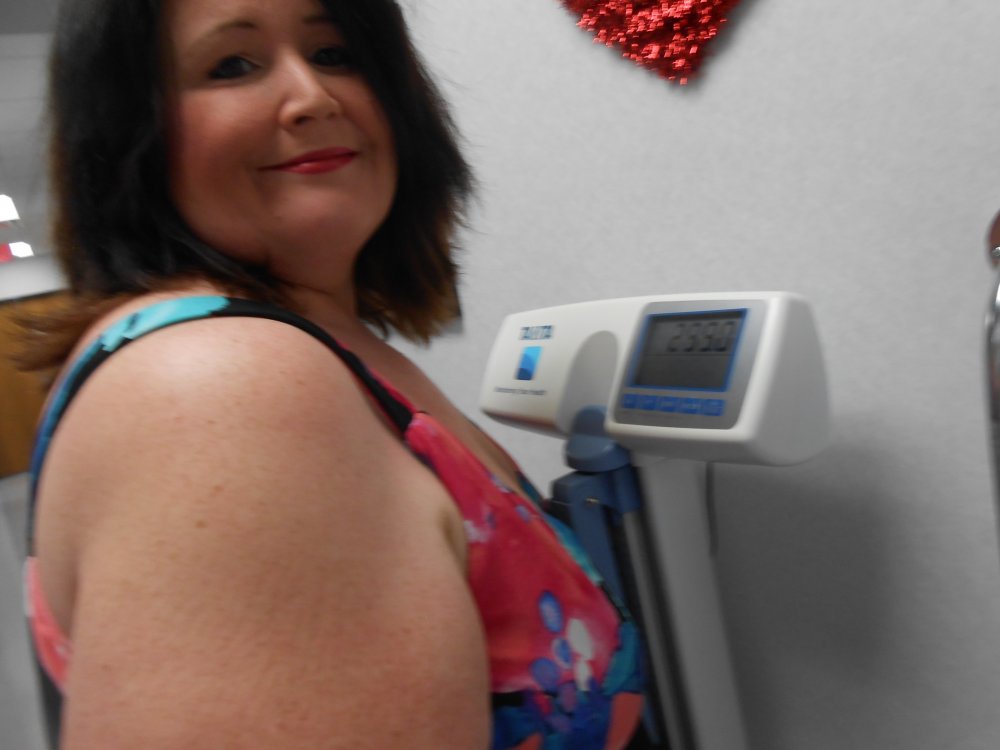
First time in 16 years being under 300 pounds; Memory! The nurse tried to get the scale number of 299 with my face in it. She did a dern good job! lol

Not my most flattering angle. My arm looks about 50 pounds, when it's only about 30 LOL but I was trying to lean back so the weight could be seen..

Oh well

Thanks, you guys, or should I say, VSG Family ? :*

DSCN1628[1].JPG

Edited by Toomanytacos
more infor

  • Replies 10
  • Views 857
  • Created
  • Last Reply

Top Posters In This Topic

Most Popular Posts

Posted Images

Featured Replies

Congrats! Looking good!!

That rocks!

Love it!! Congrats!!


  • Author

Thank you so so much guys. We're in this together

Fam!

Congratulations!


Wohoo! Awesome you got a pic of your new century. Great work!

congratulations!!!

Sent from my SM-G930VL using BariatricPal mobile app

Join the conversation

You can post as a guest; create a free account to track replies, follow topics, and be part of the largest weight loss surgery community.

Join the conversation

You can post now and register later. If you have an account, sign in now to post with your account.

Guest
Reply to this topic...

Account

Navigation

Search

Search

Configure browser push notifications

Chrome (Android)
  1. Tap the lock icon next to the address bar.
  2. Tap Permissions → Notifications.
  3. Adjust your preference.
Chrome (Desktop)
  1. Click the padlock icon in the address bar.
  2. Select Site settings.
  3. Find Notifications and adjust your preference.