Skip to content
View in the app

A better way to browse. Learn more.

BariatricPal

A full-screen app on your home screen with push notifications, badges and more.

To install this app on iOS and iPadOS
  1. Tap the Share icon in Safari
  2. Scroll the menu and tap Add to Home Screen.
  3. Tap Add in the top-right corner.
To install this app on Android
  1. Tap the 3-dot menu (⋮) in the top-right corner of the browser.
  2. Tap Add to Home screen or Install app.
  3. Confirm by tapping Install.

Fitbit users?

Any fitbit users on here that would like to be fitbit friends and do challenges and stuff to keep the motivation up? If so leave your fitbit email and we can all add each other!

  • Replies 31
  • Views 2.8k
  • Created
  • Last Reply

Featured Replies

  • Author

Charge hr2 does have a watch component. The only Fitbit that doesn't is the flex. The thing I don't like about the Alta and the one for that matter is not having the heart rate monitor. Still, all of them are good at keeping you accountable to your workouts and that is what is important. Sent from my iPhone using the BariatricPal App

I know it has a watch my Alta does to but what I'm saying is I personally like wearing an actually watch so a actually watch plus the charge is to much for me lol

  • Author

Fitbit flex is the balls. Just wish it were waterproof!

Sent from my iPhone using the BariatricPal App

Fitbit flex is the balls. Just wish it were waterproof!

Sent from my iPhone using the BariatricPal App

The flex 2 is waterproof!

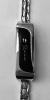
I love my fitbit alta. I like how it keeps me motivated without being in the way, as i am not really a watch person. The one issue i had was that its kinda ugly. My husband is fixing that by getting me a fancy bracelet for it for christmas.

Tamalynparedes@gmail.com

post-300447-14795013827849_thumb.jpg

HW 385 SW 359 CW 331 (54lbs down!) Sleeved 10/5/16

Edited by QueenOfTheTamazons

Fitbit Charge 2 user here. I've had no issues with any of the Fitbit products that I've used-this is my 4th Fitbit. The only time I had trouble with the band separating from the monitor, they sent me a new Fitbit. Their customer service is tops!

Sent from my iPhone using the BariatricPal App

  • Author

@@QueenOfTheTamazons i got the blush leather band for mine made it so much better!

You guys can add me, too! I'm obsessed with my Fitbit, but mine broke last week, so I'm waiting for my replacement in the mail. I have an older Flex I'm charging for the weekend! Challenges are my favorite!

recreatingcate@gmail.com :)

@@OhHeyMarina how do you like the Fitbit scale? The name of it escapes me now, but I've been looking into getting one. Just want some feedback on it if you can!

  • Author

You guys can add me, too! I'm obsessed with my Fitbit, but mine broke last week, so I'm waiting for my replacement in the mail. I have an older Flex I'm charging for the weekend! Challenges are my favorite!

recreatingcate@gmail.com :)

@@OhHeyMarina how do you like the Fitbit scale? The name of it escapes me now, but I've been looking into getting one. Just want some feedback on it if you can!

Aria Scale!! i love the scale it syncs to your app so you can always know what you weighed and it automatically knows who is on it wether it is you or a guest, it tells you weight, bmi, lean mass and body fat percentage and it is way more accurate then you just googling your body fat percentage by putting in your weight and height because it is sending currents when you step on to really calculate you i think its amazing been using mine for over a year! not super fancy like some other ones but just enough info a wls patient would want!

@@QueenOfTheTamazons i got the blush leather band for mine made it so much better!

I was worried about getting the leather band wet and if it would be to "watch like" for me. I really hope the silver bracelet comes out nice.

HW 385 SW 359 CW 331 (54lbs down!) Sleeved 10/5/16

  • Author

@@eso they are super cheap today!

Please add me: necoady@icloud.com

Sent from my iPhone using the BariatricPal App

Archived

This topic is now archived and is closed to further replies.

Trending Products

PatchAid Vitamin Patches

Account

Navigation

Search

Search

Configure browser push notifications

Chrome (Android)
  1. Tap the lock icon next to the address bar.
  2. Tap Permissions → Notifications.
  3. Adjust your preference.
Chrome (Desktop)
  1. Click the padlock icon in the address bar.
  2. Select Site settings.
  3. Find Notifications and adjust your preference.