Skip to content
View in the app

A better way to browse. Learn more.

BariatricPal

A full-screen app on your home screen with push notifications, badges and more.

To install this app on iOS and iPadOS
  1. Tap the Share icon in Safari
  2. Scroll the menu and tap Add to Home Screen.
  3. Tap Add in the top-right corner.
To install this app on Android
  1. Tap the 3-dot menu (⋮) in the top-right corner of the browser.
  2. Tap Add to Home screen or Install app.
  3. Confirm by tapping Install.
  • Appearance

Join BariatricPal free

  • Ask your own questions
  • Reply and follow topics
  • Message other members
  • No cost, no spam

December Sleeve

  • Replies 352
  • Views 20.5k
  • Created
  • Last Reply

Top Posters In This Topic

Most Popular Posts

  • aslcertified
    aslcertified

    I'm here !!! Doing pre op????????????

  • aslcertified
    aslcertified

    I'm scheduled dec 6 , 2016 Sent from my iPhone using the BariatricPal App

  • aslcertified
    aslcertified

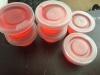
    I figured out a way to easily monitor my Protein intake without guessing if I am getting enough. The cups shown above holds 2 oz of liquid so I poured my Isopure of the day in each cup A full bo

Posted Images
Featured Replies

Wow so many of us in DEC.

I was nervous since my scheduled date but now I'm feeling a little relief knowing that so many are doing this with me.

Sent from my iPhone using the BariatricPal App

December 14

Sent from my iPhone using the BariatricPal App

I'm scheduled December 2nd

MsShortyDee

YAY!!! @staceycakes. Good luck twin

MsShortyDee

  • Author

I'm scheduled dec 6 , 2016

Sent from my iPhone using the BariatricPal App

Dec 7, good luck

Sent from my SAMSUNG-SM-N920A using the BariatricPal App

December 5

Sent from my SM-J700T using the BariatricPal App

Good luck

Sent from my SAMSUNG-SM-N920A using the BariatricPal App

December 12

Sent from my SAMSUNG-SM-G890A using the BariatricPal App

Good luck

Sent from my SAMSUNG-SM-N920A using the BariatricPal App

December 1st

Sent from my LG-D852 using the BariatricPal App

Good luck

Sent from my SAMSUNG-SM-N920A using the BariatricPal App

December 28

Sent from my LG-H811 using the BariatricPal App

Good luck

Sent from my SAMSUNG-SM-N920A using the BariatricPal App

Hello to all, best wishes for everyone. For those who are having surgery in the month of December please join me with updates. We can support each other.

Sent from my SAMSUNG-SM-N920A using the BariatricPal App

post-301564-14791440461293_thumb.jpg

Sent from my SAMSUNG-SM-N920A using the BariatricPal App

December 15th

Sent from my iPad using the BariatricPal App

Good luck

Sent from my SAMSUNG-SM-N920A using the BariatricPal App

Dec 19th

Good luck

Sent from my SAMSUNG-SM-N920A using the BariatricPal App

December 16th

Sent from my iPhone using the BariatricPal App

Good luck

Sent from my SAMSUNG-SM-N920A using the BariatricPal App

December 16th

Sent from my iPhone using the BariatricPal App

Good luck

Sent from my SAMSUNG-SM-N920A using the BariatricPal App

December 20th. Is anyone else nervous? I'm so nervous, it's all I can think about.

Sent from my iPhone using the BariatricPal App

December 20th. Is anyone else nervous? I'm so nervous, it's all I can think about.

Sent from my iPhone using the BariatricPal App

Hey that's my birthday!! Lol. I'm nervous Excited and a little scared .

MsShortyDee

I can't wait!! @@MsShortyDee

Sent from my iPhone using the BariatricPal App

Me either!! Come on December 2nd

MsShortyDee

  • Author

Yes, nervous and scared because the sleeve is not reversible. I've done my homework and watched many videos. Everyone is different and we heal different. But the best part we are here supporting each other.

BEST of luck????

Sent from my SAMSUNG-SM-N920A using the BariatricPal App

Join the conversation

You can post as a guest; create a free account to track replies, follow topics, and be part of the largest weight loss surgery community.

Join the conversation

You can post now and register later. If you have an account, sign in now to post with your account.

Guest
Reply to this topic...

Account

Navigation

Search

Search

Configure browser push notifications

Chrome (Android)
  1. Tap the lock icon next to the address bar.
  2. Tap Permissions → Notifications.
  3. Adjust your preference.
Chrome (Desktop)
  1. Click the padlock icon in the address bar.
  2. Select Site settings.
  3. Find Notifications and adjust your preference.