




December Sleeve
- Replies 352
- Views 20.5k
- Created
- Last Reply
Top Posters In This Topic
-
aslcertified 41 posts
-
elisa_rose 18 posts
-
OneReallyBigBird 12 posts
-
MsShortyDee 11 posts




Most Popular Posts
-
I'm here !!! Doing pre op????????????
-
I'm scheduled dec 6 , 2016 Sent from my iPhone using the BariatricPal App
-
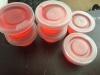
I figured out a way to easily monitor my Protein intake without guessing if I am getting enough. The cups shown above holds 2 oz of liquid so I poured my Isopure of the day in each cup A full bo
Posted Images



Featured Replies
Join the conversation
You can post as a guest; create a free account to track replies, follow topics, and be part of the largest weight loss surgery community.
Hello to all, best wishes for everyone. For those who are having surgery in the month of December please join me with updates. We can support each other.
Sent from my SAMSUNG-SM-N920A using the BariatricPal App