Skip to content
View in the app

A better way to browse. Learn more.

BariatricPal

A full-screen app on your home screen with push notifications, badges and more.

To install this app on iOS and iPadOS
  1. Tap the Share icon in Safari
  2. Scroll the menu and tap Add to Home Screen.
  3. Tap Add in the top-right corner.
To install this app on Android
  1. Tap the 3-dot menu (⋮) in the top-right corner of the browser.
  2. Tap Add to Home screen or Install app.
  3. Confirm by tapping Install.
  • Appearance

Join BariatricPal free

  • Ask your own questions
  • Reply and follow topics
  • Message other members
  • No cost, no spam

Clearing notifications on phone

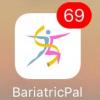
Since downloading the latest upgrade to the app on my iPhone, I can't figure out how to "clear" notifications (the number in the red bubble next to the app's pic). They just keep accumulating. How can I clear them? Thanks!

  • Replies 18
  • Views 2.6k
  • Created
  • Last Reply

Top Posters In This Topic

Most Popular Posts

Posted Images

Featured Replies

Following because I have the same problem

Ughh me too drives me nuts!

I turned off my notifications in settings on my phone to get rid of them

I turned off my notifications in settings on my phone to get rid of them

Great temporary fix thanks!

I can't get rid of mine either and it is hurting my brain. I tried turning off notifications and it not showing new ones but I still have a bajillion that won't clear.

Looking forward to a fix for this. I thought it was my simpledom for using technology.

Sent from my iPhone

Looking to live life again

Me too! I thought about turning notifications off all together since I get emails when someone replies to a topic I've participated in. So annoying!

On the new app there is a little star. It's yellow if you have participated, if you click the star it will turn off the notifications for that post.

On the new app there is a little star. It's yellow if you have participated, if you click the star it will turn off the notifications for that post.

Thanks! The annoying part is though that I've only participated in 10-15 topics, but the red icon on the app itself (for iPhones anyway) says that I have 69 notifications. Every day it grows. But when I go into the app I can't find anywhere that 69 things are trying to get my attention. I don't know if this is what everyone else is talking about, but that's what I'm dealing with. post-270833-14568709102955_thumb.jpg

@@RoadToMe that's how many people that have liked your post or quoted what you've posted. On the opening page there is 3 lines to the top right of the screen. If you click that and go down to notifications and select the "bell" it should clear that number.

eTA. You can also turn off notifications in your app settings on you phone.

Edited by cindyw41

@@RoadToMe that's how many people that have liked your post or quoted what you've posted. On the opening page there is 3 lines to the top right of the screen. If you click that and go down to notifications and select the "bell" it should clear that number.

eTA. You can also turn off notifications in your app settings on you phone.

Ohh! I didn't know that's what it was. Thanks! I did try that but it didn't take the number away so I kept the notifications on but just turned off the badge app icon(the red indicator). Thanks for your help

Join the conversation

You can post as a guest; create a free account to track replies, follow topics, and be part of the largest weight loss surgery community.

Join the conversation

You can post now and register later. If you have an account, sign in now to post with your account.

Guest
Reply to this topic...

Account

Navigation

Search

Search

Configure browser push notifications

Chrome (Android)
  1. Tap the lock icon next to the address bar.
  2. Tap Permissions → Notifications.
  3. Adjust your preference.
Chrome (Desktop)
  1. Click the padlock icon in the address bar.
  2. Select Site settings.
  3. Find Notifications and adjust your preference.