Skip to content
View in the app

A better way to browse. Learn more.

BariatricPal

A full-screen app on your home screen with push notifications, badges and more.

To install this app on iOS and iPadOS
  1. Tap the Share icon in Safari
  2. Scroll the menu and tap Add to Home Screen.
  3. Tap Add in the top-right corner.
To install this app on Android
  1. Tap the 3-dot menu (⋮) in the top-right corner of the browser.
  2. Tap Add to Home screen or Install app.
  3. Confirm by tapping Install.

Joining the ONEDERLAND Club!

  • Popular Post

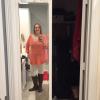
Knew this was coming soon, but didn't expect it quite this soon. Woke up feeling good, decided to step on the scale and BAM! I hit onederland! I haven't seen a weight like this in so long!

2pqj2ug.jpg

  • Replies 8
  • Views 781
  • Created
  • Last Reply

Featured Replies

FANTASTIC!!! great job. i'm coming up on the HALF WAY THERE mark, 165 lost,165 to go. i 'm thinking a few days before Christmas. what a present!

That's awesome!!! Congrats! I'm hoping tomorrow is my day! I'm 200 even right now! I never want to see a 2 in front again!!!

Congratulations!! I made it this morning too.

Archived

This topic is now archived and is closed to further replies.

Account

Navigation

Search

Search

Configure browser push notifications

Chrome (Android)
  1. Tap the lock icon next to the address bar.
  2. Tap Permissions → Notifications.
  3. Adjust your preference.
Chrome (Desktop)
  1. Click the padlock icon in the address bar.
  2. Select Site settings.
  3. Find Notifications and adjust your preference.