Skip to content
View in the app

A better way to browse. Learn more.

BariatricPal

A full-screen app on your home screen with push notifications, badges and more.

To install this app on iOS and iPadOS
  1. Tap the Share icon in Safari
  2. Scroll the menu and tap Add to Home Screen.
  3. Tap Add in the top-right corner.
To install this app on Android
  1. Tap the 3-dot menu (⋮) in the top-right corner of the browser.
  2. Tap Add to Home screen or Install app.
  3. Confirm by tapping Install.

Veggie slicers

Hey I am considering getting one of those devices that make vegetables, like squash and zucchini, into spaghetti shapes. There is a bigger variety than I thought and a lot of the amazon reviews sound like they were paid to put them lol. Has anyone purchased one of these, and if so what kind did you get? Thanks

  • Replies 13
  • Views 1.1k
  • Created
  • Last Reply

Featured Replies

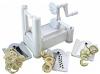
I researched spiral slicers, but I haven't bought one yet. But if I were to choose one, it would be this one:

post-147109-0-42761700-1423621134_thumb.jpg

http://www.amazon.com/Paderno-World-Cuisine-A4982799-Tri-Blade/dp/B0007Y9WHQ/ref=sr_1_3?ie=UTF8&qid=1423620907&sr=8-3&keywords=spiral+slicer

With over 4000 reviews, it's hard to fake the ratings.

  • Author

That is the one I already had my eyes on.... thanks

Vegetti, paid 12 dollars works great.

They sell them at CVS.

Edited by woo woo

  • Author

Thanks everyone, I ordered the one @@joatsaint mentioned, but in going to get the vegetti until that one gets here. :)

  • Author

I got the vegetable slicer in the mail today. Let you all know what I think after I have had time to play with it m

I bought the gefu slicer on eBay for $5.

Archived

This topic is now archived and is closed to further replies.

Trending Products

PatchAid Vitamin Patches

Account

Navigation

Search

Search

Configure browser push notifications

Chrome (Android)
  1. Tap the lock icon next to the address bar.
  2. Tap Permissions → Notifications.
  3. Adjust your preference.
Chrome (Desktop)
  1. Click the padlock icon in the address bar.
  2. Select Site settings.
  3. Find Notifications and adjust your preference.