Skip to content
View in the app

A better way to browse. Learn more.

BariatricPal

A full-screen app on your home screen with push notifications, badges and more.

To install this app on iOS and iPadOS
  1. Tap the Share icon in Safari
  2. Scroll the menu and tap Add to Home Screen.
  3. Tap Add in the top-right corner.
To install this app on Android
  1. Tap the 3-dot menu (⋮) in the top-right corner of the browser.
  2. Tap Add to Home screen or Install app.
  3. Confirm by tapping Install.

GOAL met!

HW: 313 (July 2012)

SW: 254 (2-12-13)

CW: 138.4 (2-23-14)

Height: 5'5

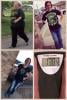
I just wanted to share my success and offer support to anyone needing it. I'm an open book so ask any questions you might have :)

post-204242-0-86160100-1393246166_thumb.jpg

  • Replies 40
  • Views 4.6k
  • Created
  • Last Reply

Featured Replies

awesome job

Amazing!

WOW, I am inspired! Congratulations! You look awesome! I do have a question about excess skin. I have to lose 100lbs and I concerned about sagging skin. Do you have any tips to share?

I'm new to this forum so I'd like to start by saying congrats to you. I had my sleeve surgery done Monday and I'm feeling better but still sore. I've had some redness and itching near the largest incision. Did this happen to u?

I'm very excited for my journey and your story is inspirational

You really do like like a different person! Congrats!

Well done!

Wonderful, those images took my breath away. I hope you feel as wonderful as you look.

Wow! Incredible photos.

Losing 120pounds is amazing. Keep up the great work.

Since surgery, what is best things that have happened to you and what are the worst?

How are your hunger levels?

Kind regards

Betty

HW: 313 (July 2012)

SW: 254 (2-12-13)

CW: 138.4 (2-23-14)

Height: 5'5

I just wanted to share my success and offer support to anyone needing it. I'm an open book so ask any questions you might have :)

:

My questions were about fluids and energy and you've already answered those; but I just had to say WOW! Congratulations!!

Archived

This topic is now archived and is closed to further replies.

Trending Products

PatchAid Vitamin Patches

Account

Navigation

Search

Search

Configure browser push notifications

Chrome (Android)
  1. Tap the lock icon next to the address bar.
  2. Tap Permissions → Notifications.
  3. Adjust your preference.
Chrome (Desktop)
  1. Click the padlock icon in the address bar.
  2. Select Site settings.
  3. Find Notifications and adjust your preference.