Skip to content
View in the app

A better way to browse. Learn more.

BariatricPal

A full-screen app on your home screen with push notifications, badges and more.

To install this app on iOS and iPadOS
  1. Tap the Share icon in Safari
  2. Scroll the menu and tap Add to Home Screen.
  3. Tap Add in the top-right corner.
To install this app on Android
  1. Tap the 3-dot menu (⋮) in the top-right corner of the browser.
  2. Tap Add to Home screen or Install app.
  3. Confirm by tapping Install.

before and after pictures

  • Replies 10
  • Views 1k
  • Created
  • Last Reply

Featured Replies

I would be happy to, but I don't know how to.... LOl

Have some on my profile...still trying to figure it out here too! ;)

Can anyone post before and after pictures? I would love to see y'alls progress.

go into the photos tab and you'll see pics posted there. I've got some before and after photos there along with many others.

Edited by gowalking

Can anyone post before and after pictures? I would love to see y'alls progress.

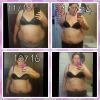
Some pictures of me before and after , I will be two months post surgery on january 6,

post-147558-0-17762600-1388464025_thumb.jpg

post-199357-0-76656400-1388465416_thumb.jpg

post-199357-0-84373800-1388465376_thumb.jpg

post-199357-0-13372000-1388465386_thumb.jpg

Work in progress 1st pic 1month post op dec 25 2012 2nd pic march 2013 3rd pic Aug 2013 currently 105lbs down 13months post op 10lbs until goal

Edited by tonya596

<br><br>

<br><br><br><br>

<br><br><br><br>

Work in progress

Work in progress

Wow! you ladies are looking good!Happy New year!

This is 6 weeks since band

post-197111-0-89100600-1388498678_thumb.png

[ATTACH]39401[/ATTACH]

Archived

This topic is now archived and is closed to further replies.

Trending Products

PatchAid Vitamin Patches

Account

Navigation

Search

Search

Configure browser push notifications

Chrome (Android)
  1. Tap the lock icon next to the address bar.
  2. Tap Permissions → Notifications.
  3. Adjust your preference.
Chrome (Desktop)
  1. Click the padlock icon in the address bar.
  2. Select Site settings.
  3. Find Notifications and adjust your preference.