Skip to content
View in the app

A better way to browse. Learn more.

BariatricPal

A full-screen app on your home screen with push notifications, badges and more.

To install this app on iOS and iPadOS
  1. Tap the Share icon in Safari
  2. Scroll the menu and tap Add to Home Screen.
  3. Tap Add in the top-right corner.
To install this app on Android
  1. Tap the 3-dot menu (⋮) in the top-right corner of the browser.
  2. Tap Add to Home screen or Install app.
  3. Confirm by tapping Install.

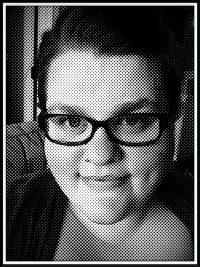
Before and after pic 5months postop

I'm a slow loser but it's all good .... Eventually I will get to my goal weight ;)

Sw271

Cw205

post-58823-13838396893688_thumb.jpg

post-58823-13838396894531_thumb.jpg

  • Replies 28
  • Views 3k
  • Created
  • Last Reply

Featured Replies

You look fantastic! :D

Big difference! Congratulations, you look great!

You're HOT. Amazing difference.

You look awesome!! Congrats on your success!!

Wow....what a transformation! Kick it girl!!!!!!!!!!

Wowsa! Congrats!

Thanks for sharing.

Congratulations!

You look beautiful! :) Great transformation and remember...it is a marathon not a sprint! :) Keep up the great work.

  • Author

Hello, thanks everyone ... It's an amazing feeling I couldn't be happier I can honestly say that I LOVE MY SLEEVE!!! I just went for my weigh in this morning and I have officially hit ONEderland so I am down exactly 72lbs since surgery date 5/21/2013 ... Once again thanks for all the compliments ... Good luck to everyone on your weight loss journey!!!

You look great, I am less then three weeks away from surgery day and getting scared. Seeing you photo really helps put my mind at ease to know it will be worth it.

WOW! You look GREAT!

So happy for you , it's alway inspiring to see the before pics and you look wonderful now thanks for showing us

Wow! You look amazing! Congrats.

Archived

This topic is now archived and is closed to further replies.

Trending Products

PatchAid Vitamin Patches

Account

Navigation

Search

Search

Configure browser push notifications

Chrome (Android)
  1. Tap the lock icon next to the address bar.
  2. Tap Permissions → Notifications.
  3. Adjust your preference.
Chrome (Desktop)
  1. Click the padlock icon in the address bar.
  2. Select Site settings.
  3. Find Notifications and adjust your preference.