Skip to content
View in the app

A better way to browse. Learn more.

BariatricPal

A full-screen app on your home screen with push notifications, badges and more.

To install this app on iOS and iPadOS
  1. Tap the Share icon in Safari
  2. Scroll the menu and tap Add to Home Screen.
  3. Tap Add in the top-right corner.
To install this app on Android
  1. Tap the 3-dot menu (⋮) in the top-right corner of the browser.
  2. Tap Add to Home screen or Install app.
  3. Confirm by tapping Install.

Six weeks!!

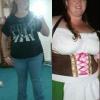
I just found out I am six weeks pregnant! I had my surgery on October10th of last year. Since then, I have lost 90 pounds. I m so thankful for the band giving me this opportunity. I honestly don't think I could save ever gotten pregnant without losing the weight. I am going to see my band doctor on the 17th. They acted like they removed all fluids during a pregnancy. Is that normal?

  • Replies 4
  • Views 1.5k
  • Created
  • Last Reply

Featured Replies

Some do and some don't remove fluid. Its up to your doctor.

My surgeon removed 1.5ccs when I was 6 weeks along. He said normally they don't remove any unless there is a problem. Ie: morning sickness that occurs with vomiting or feeling stuck or tight. I was feeling things sticking on their way down. He said if it happens again he can take more out, but so far so good. I'm 16 weeks now.

I'm 20 wks now I had all liquids removed back in August I could barley breath nothing stayed down.. It actually got rid of morning sickness for me.. I've only gained 3 pounds i feel so much better my surgeon also said he didn't want to run the risk of anything happening to baby I agreed..

Congrats on your pregnancy!! I had my band emptied with both of my band babies (Im 38wks with my 2nd one). Just remember to watch portions and most importantly ENJOY your pregnancy! :)

Archived

This topic is now archived and is closed to further replies.

Trending Products

PatchAid Vitamin Patches

Account

Navigation

Search

Search

Configure browser push notifications

Chrome (Android)
  1. Tap the lock icon next to the address bar.
  2. Tap Permissions → Notifications.
  3. Adjust your preference.
Chrome (Desktop)
  1. Click the padlock icon in the address bar.
  2. Select Site settings.
  3. Find Notifications and adjust your preference.