Skip to content
View in the app

A better way to browse. Learn more.

BariatricPal

A full-screen app on your home screen with push notifications, badges and more.

To install this app on iOS and iPadOS
  1. Tap the Share icon in Safari
  2. Scroll the menu and tap Add to Home Screen.
  3. Tap Add in the top-right corner.
To install this app on Android
  1. Tap the 3-dot menu (⋮) in the top-right corner of the browser.
  2. Tap Add to Home screen or Install app.
  3. Confirm by tapping Install.
  • Appearance

Join BariatricPal free

  • Ask your own questions
  • Reply and follow topics
  • Message other members
  • No cost, no spam

Shrinking overnight

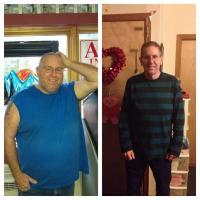
Isnt it crazy how you go to bed one size and weight and wake up skinnier and lighter? Each morning is amazing. I am 12 weeks out and my reshaping has taken a mighty leap. Love that prize each morning. Now if only mt boobs would get the hint that its okay to disappear!

  • Replies 21
  • Views 1.9k
  • Created
  • Last Reply

Top Posters In This Topic

Most Popular Posts

Featured Replies

I'll offer to hold up any boobies that need it lol

Too funny Don!!! Lmbo

SD: 10/10/12, Converted from Lapband to RNY, HW (before band) 263, HW (RNY) 230, Preop 219, after surgery 223, CURRENT... 192 YIPPEE!!

Just thought I would give some support hehehehe

I'll offer to hold up any boobies that need it lol

Looooool

Sent from my Galaxy S III using RNYTalk

I'll offer to hold up any boobies that need it lol

Now that is really good support, Don! Way to be a team player! :0)

Instead of shrinking don it's now super lift don!!! Lol

Join the conversation

You can post as a guest; create a free account to track replies, follow topics, and be part of the largest weight loss surgery community.

Join the conversation

You can post now and register later. If you have an account, sign in now to post with your account.

Guest
Reply to this topic...

Account

Navigation

Search

Search

Configure browser push notifications

Chrome (Android)
  1. Tap the lock icon next to the address bar.
  2. Tap Permissions → Notifications.
  3. Adjust your preference.
Chrome (Desktop)
  1. Click the padlock icon in the address bar.
  2. Select Site settings.
  3. Find Notifications and adjust your preference.