Skip to content
View in the app

A better way to browse. Learn more.

BariatricPal

A full-screen app on your home screen with push notifications, badges and more.

To install this app on iOS and iPadOS
  1. Tap the Share icon in Safari
  2. Scroll the menu and tap Add to Home Screen.
  3. Tap Add in the top-right corner.
To install this app on Android
  1. Tap the 3-dot menu (⋮) in the top-right corner of the browser.
  2. Tap Add to Home screen or Install app.
  3. Confirm by tapping Install.

1 month out....

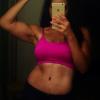
Today marks 1 month since the day I started my 10 day pre op diet. It is also the third week since surgery. I am taking my monthly pictures and doing weight and measurements on the 17th of each month so I thought I would share my current stats. Since the start of my pre op diet I am down 27.2#, since the day of surgery I am down 17.2# and overall since my first meeting with the bariatric surgeon I am down 39lbs and change. I lost 20.5" overall including 4.2" in my chest and 3.7" in my waist, I have lost 2 pants sizes in my pants, probably one in my shirts but nothing I can't deal with... pants falling off is always awkward, I also noticed today that my bra is quite loose darn!

  • Replies 5
  • Views 1k
  • Created
  • Last Reply

Featured Replies

You are doing a great job. Keep up the good work. ROCK THAT SLEEVE!

Keep it up Macy! Those are awesome results!

Sent from my iPhone using VST

Isn't it a great feeling? Congrats on the awesome results thus far. Guess what... it's only going to get better from here. Work the program!

Amazing results at one month!! Continued success on your journey!! BTW.. great tracking...I also track monthly, (weight, inches loss and a dated picture, to document my sleeve journey and one day make a video). I will wait initially until 10/8 my 6 week checkup.

Congratulations, your doing great.

Archived

This topic is now archived and is closed to further replies.

Trending Products

PatchAid Vitamin Patches

Account

Navigation

Search

Search

Configure browser push notifications

Chrome (Android)
  1. Tap the lock icon next to the address bar.
  2. Tap Permissions → Notifications.
  3. Adjust your preference.
Chrome (Desktop)
  1. Click the padlock icon in the address bar.
  2. Select Site settings.
  3. Find Notifications and adjust your preference.