Skip to content
View in the app

A better way to browse. Learn more.

BariatricPal

A full-screen app on your home screen with push notifications, badges and more.

To install this app on iOS and iPadOS
  1. Tap the Share icon in Safari
  2. Scroll the menu and tap Add to Home Screen.
  3. Tap Add in the top-right corner.
To install this app on Android
  1. Tap the 3-dot menu (⋮) in the top-right corner of the browser.
  2. Tap Add to Home screen or Install app.
  3. Confirm by tapping Install.

Sleeved in June

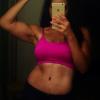
Hello my fellow sleevers! I got sleeved June 17. I a 9 weeks out and as of today I have lost 50 pounds!!! I am at 180 and I feel on top of the world! The sleeve has changed my life, the way I eat and the way I look at food. I still have much more to learn but for now I have new found hope!

  • Replies 8
  • Views 798
  • Created
  • Last Reply

Featured Replies

Congrats to you! You are doing awesome! I was sleeved one day after you, but my loss is way slower than yours. I'm 33 pounds down. I too am LOVING my sleeve!!! Keep it up :D

Whoo Hoo Ladies!! I was sleeved on the 26th of June and I'm down 30 lbs!! Feels great, but all my "tight" pants are too loose now lol!!

  • Author

Yayay for us! Congrats to you all as well!!!! More happy roads are to come for us!

My clothes are way too loose as well! Finally had to give up and buy a few things for work or risk going back looking like I took a permanent dump in my back side. Went from 18/20 W to a 16 misses. The 14 W pants were too big from my legs. SOOO happy to be able to shop in the misses section again!

congrats to y'all...keep up the good work

Great! Isn't it funny how now we look at food so differently, never thought I could do it. I was sleeved 8/6 down 20 pounds, 180 now!

Got my Sleeve on June 21st. Things are going kind of slow, I think because I don't move as much as I need too (painful knees) - but no regrets - HUNGRY is not the same for me anymore and it is so wonderful to eat such small amounts! I just need to be patient!

Archived

This topic is now archived and is closed to further replies.

Trending Products

PatchAid Vitamin Patches

Account

Navigation

Search

Search

Configure browser push notifications

Chrome (Android)
  1. Tap the lock icon next to the address bar.
  2. Tap Permissions → Notifications.
  3. Adjust your preference.
Chrome (Desktop)
  1. Click the padlock icon in the address bar.
  2. Select Site settings.
  3. Find Notifications and adjust your preference.