Skip to content
View in the app

A better way to browse. Learn more.

BariatricPal

A full-screen app on your home screen with push notifications, badges and more.

To install this app on iOS and iPadOS
  1. Tap the Share icon in Safari
  2. Scroll the menu and tap Add to Home Screen.
  3. Tap Add in the top-right corner.
To install this app on Android
  1. Tap the 3-dot menu (⋮) in the top-right corner of the browser.
  2. Tap Add to Home screen or Install app.
  3. Confirm by tapping Install.

selfie update

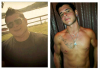
Down 118 lbs 15 more to go!!!

post-34949-13813668637183_thumb.png

post-34949-13813668637571_thumb.png

post-34949-13813668638011_thumb.png

post-34949-13813668638473_thumb.png

post-34949-13813668638945_thumb.png

post-34949-13813668639373_thumb.png

post-34949-13813668666567_thumb.png

  • Replies 15
  • Views 2.9k
  • Created
  • Last Reply

Featured Replies

Throw a "before" picture up there to show off that comparison!

Great job!

  • Author
Throw a "before" picture up there to show off that comparison!

Great job!

post-34949-13813668667068_thumb.png

post-34949-1381366866756_thumb.png

post-34949-13813668668008_thumb.jpg

post-34949-13813668668245_thumb.jpg

WOW you look AMAZING! Congrats!

Wow!!! Amazing!!!

That gym ad really looks like false advertising

Chippendale's called...the bow tie you ordered came in. ;)

Great job!!! You look fantastic.

Down 118 lbs 15 more to go!!!

Get the hell out!!!! You look great!

Whew! Is it just me, or did it get really warm in here, need crack a window. . .

Wow! You look amazing...very hot!

Awesome work! You look amazing!

Down 118 lbs 15 more to go!!!

Oh my Hubba Hubba!!! Looking good there sir..congrats

You look great but why didn't you mention the surgery in your gym interview? Or did they want you to leave that part out? Regardless, I bet you can't keep the ladies away now!

Wow...if I was your age...;)

Wow!! You look awesome!! You are a hottie:)

Damn!

Archived

This topic is now archived and is closed to further replies.

Trending Products

PatchAid Vitamin Patches

Account

Navigation

Search

Search

Configure browser push notifications

Chrome (Android)
  1. Tap the lock icon next to the address bar.
  2. Tap Permissions → Notifications.
  3. Adjust your preference.
Chrome (Desktop)
  1. Click the padlock icon in the address bar.
  2. Select Site settings.
  3. Find Notifications and adjust your preference.