Skip to content
View in the app

A better way to browse. Learn more.

BariatricPal

A full-screen app on your home screen with push notifications, badges and more.

To install this app on iOS and iPadOS
  1. Tap the Share icon in Safari
  2. Scroll the menu and tap Add to Home Screen.
  3. Tap Add in the top-right corner.
To install this app on Android
  1. Tap the 3-dot menu (⋮) in the top-right corner of the browser.
  2. Tap Add to Home screen or Install app.
  3. Confirm by tapping Install.

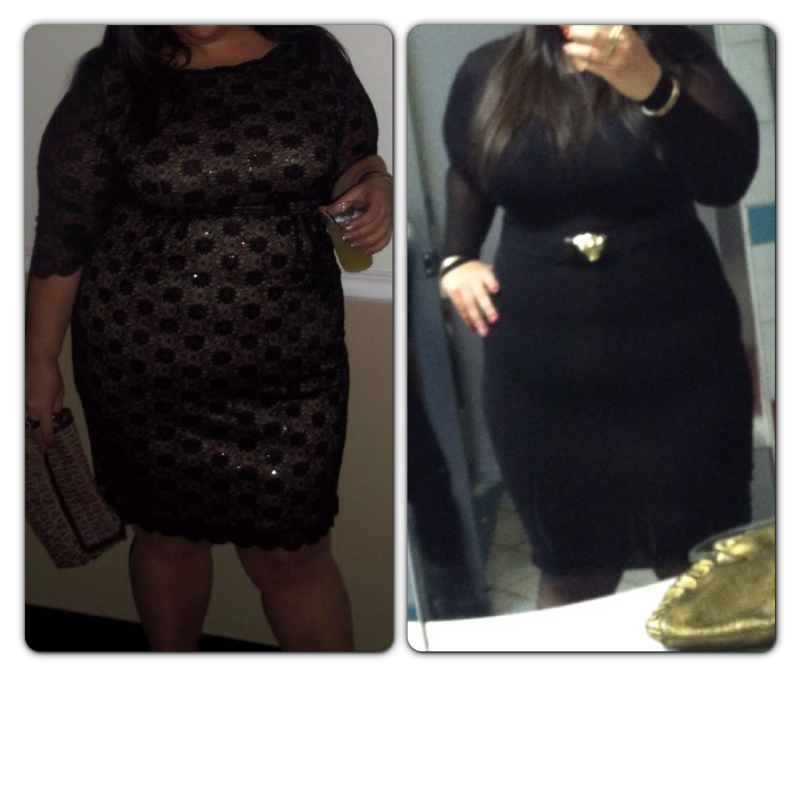
3 months pic

post-38119-13813662469011_thumb.jpg

  • Replies 12
  • Views 936
  • Created
  • Last Reply

Featured Replies

  • Author

From 296 to 239!!! Best thing I ever did for MYSELF!!!

In 3 months? Wow!! Look at you all belted up. Very pretty!

Very nice and thanks for posting gives me insight on what to look forward too.....Awesomesauce!!!!!!

What exercising are you doing? What foods do you eat? Thanks in advance.

Congrat's! you look great!

Wow. You're looking fantastic already.

Wow! I'd like to have your body :)

gorgeous!

Congrats!!! You look amazing!

  • Author

Thank you all!!! I post these pics to inspire anyone that is currently trying to decide whether or not they should go through with this surgery. It was the hardest decision I have ever made. So happy I did it, because I'm worth it and SO ARE YOU!!!! Please feel free to inbox me any questions

Cheers!!

  • Author
Very nice and thanks for posting gives me insight on what to look forward too.....Awesomesauce!!!!!!

What exercising are you doing? What foods do you eat? Thanks in advance.

I was only walking until recently. I just started insanity DVDs!! My diary is open on myfitnesspal so you can see what I eat everyday username imworthit29

It's definitely inspiring! Thank you for posting!

Archived

This topic is now archived and is closed to further replies.

Trending Products

PatchAid Vitamin Patches

Account

Navigation

Search

Search

Configure browser push notifications

Chrome (Android)
  1. Tap the lock icon next to the address bar.
  2. Tap Permissions → Notifications.
  3. Adjust your preference.
Chrome (Desktop)
  1. Click the padlock icon in the address bar.
  2. Select Site settings.
  3. Find Notifications and adjust your preference.