





imworthit
Gastric Sleeve Patients
-
Joined
-
Last visited
-
-
-
-
-
Had my gallbladder out at 10 months post op! So happy that thing is gone! Attacks are terrible:( I took of 2 weeks from work after. I handled my sleeve post op like a champ, gallbladder removal caused me much more discomfort.
-
-
Tomorrow is my one year surgiversary!! No regrets!!! Down -126 lbs loving it!!! Best of luck :-)

-
-
Prayers goin up!!!
-
-
-
-
Wishing you a speedy recovery!
-
-
I also suffer from this the week before my period, but I always lose 2-3 lbs while on it:-)
-
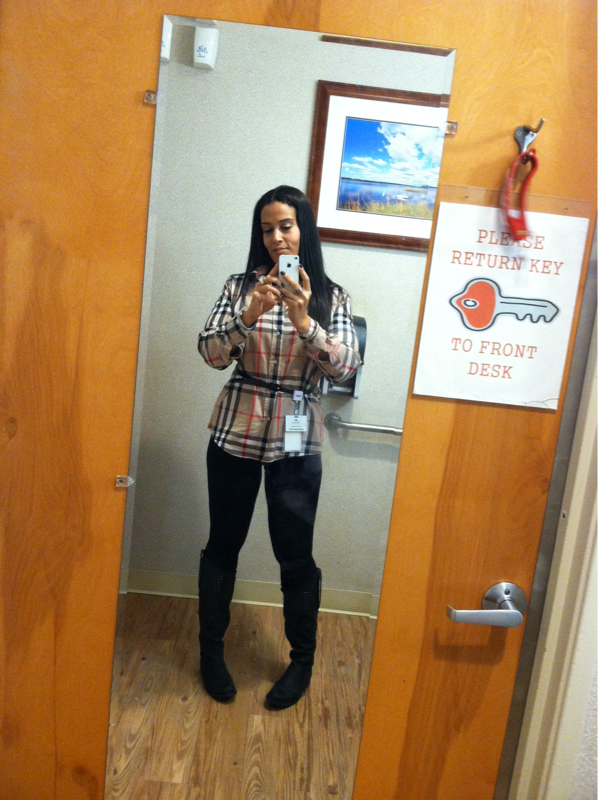
Wow!! You look amazing!! Thanks for coming back:-) I'm 10 months out and down -110 lbs since surgery! I am also loving my new life! I have a question for you. When does your mind catch up? When will I feel like 178 lbs as opposed to 300?
-
Thanks for coming back!! We love to hear from people further out! I'm 10 months post op:-) also loving life!
-
Mine where found in the er and was removed the next day. But my surgeon is the BOMB
-
It is what it is I'm loving life and could truly care less what the next person think!
-
This has been a huge problem and struggle. I hear it almost daily from the witches at work! Lol the other day the overweight receptionist at my job asked me to check her blood sugar(I'm a nurse) because she was recently diagnosed with diabetes. She then had the nerve to tell me that I need to stop losing weight because I'm going to look or get sick. I'm thinking well your obesity HAS caused you to get sick:-( but I'm not that person!I eat pizza at 10 months out. Have been since prob month 4 or 5. I actually eat whatever I want in MODERATION. I have lost 120lbs in 10 months .Hey you!! Long time no see!! I also have not lost hair more then I did before surgery. I guess the octosleevers are a lucky bunch. I did lose a gallbladder tho;-)

Account
Navigation
Search
Configure browser push notifications
Chrome (Android)
- Tap the lock icon next to the address bar.
- Tap Permissions → Notifications.
- Adjust your preference.
Chrome (Desktop)
- Click the padlock icon in the address bar.
- Select Site settings.
- Find Notifications and adjust your preference.
Safari (iOS 16.4+)
- Ensure the site is installed via Add to Home Screen.
- Open Settings App → Notifications.
- Find your app name and adjust your preference.
Safari (macOS)
- Go to Safari → Preferences.
- Click the Websites tab.
- Select Notifications in the sidebar.
- Find this website and adjust your preference.
Edge (Android)
- Tap the lock icon next to the address bar.
- Tap Permissions.
- Find Notifications and adjust your preference.
Edge (Desktop)
- Click the padlock icon in the address bar.
- Click Permissions for this site.
- Find Notifications and adjust your preference.
Firefox (Android)
- Go to Settings → Site permissions.
- Tap Notifications.
- Find this site in the list and adjust your preference.
Firefox (Desktop)
- Open Firefox Settings.
- Search for Notifications.
- Find this site in the list and adjust your preference.