Skip to content
View in the app

A better way to browse. Learn more.

BariatricPal

A full-screen app on your home screen with push notifications, badges and more.

To install this app on iOS and iPadOS
  1. Tap the Share icon in Safari
  2. Scroll the menu and tap Add to Home Screen.
  3. Tap Add in the top-right corner.
To install this app on Android
  1. Tap the 3-dot menu (⋮) in the top-right corner of the browser.
  2. Tap Add to Home screen or Install app.
  3. Confirm by tapping Install.
  • Appearance

Join BariatricPal free

  • Ask your own questions
  • Reply and follow topics
  • Message other members
  • No cost, no spam

Almost to my goal!

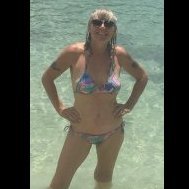
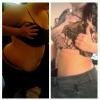
Surgery date was 7/30/12, started at 272 and currently weigh 187.9lbs! First picture was 2 days post-op and the second picture is from a little over a week ago. I've actually flattened out a little more since that picture was taken. Went from a size 24 in pants to a size 14 and I'm almost a 12. Shirt size used to be 3-4x and I'm now an xl almost in larges. How is everyones progress and what is your goal? I'm looking to be under 150.

  • Replies 11
  • Views 981
  • Created
  • Last Reply

Top Posters In This Topic

Posted Images

Featured Replies

Awesome.. just got sleeved I started@ 310 and now im 275. 12/10/12 was my surgery date. Everything is great feel great and cant wait to get to my goal of 210. I have a lot of muscle and im no stranger to protine shakes. Your looking great, stay positive...

You look fab!! Keep it up :)

Man, that's awesome! Congratulations!

  • 3 weeks later...

That's awesome!!

  • Author

I haven't worked out in awhile because I'm having medical problems not related to my sleeve. I quit the shakes about 3 months ago because I'm getting everything in through food. My favorite thing to eat at the moment is scallops.

Join the conversation

You can post as a guest; create a free account to track replies, follow topics, and be part of the largest weight loss surgery community.

Join the conversation

You can post now and register later. If you have an account, sign in now to post with your account.

Guest
Reply to this topic...

Account

Navigation

Search

Search

Configure browser push notifications

Chrome (Android)
  1. Tap the lock icon next to the address bar.
  2. Tap Permissions → Notifications.
  3. Adjust your preference.
Chrome (Desktop)
  1. Click the padlock icon in the address bar.
  2. Select Site settings.
  3. Find Notifications and adjust your preference.