Skip to content
View in the app

A better way to browse. Learn more.

BariatricPal

A full-screen app on your home screen with push notifications, badges and more.

To install this app on iOS and iPadOS
  1. Tap the Share icon in Safari
  2. Scroll the menu and tap Add to Home Screen.
  3. Tap Add in the top-right corner.
To install this app on Android
  1. Tap the 3-dot menu (⋮) in the top-right corner of the browser.
  2. Tap Add to Home screen or Install app.
  3. Confirm by tapping Install.

Hot Chocolate

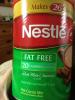
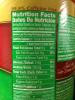
This is my 'secret' treat. It does not have Protein but i get plenty of protein in my food & Protein shake. I suppose one could add Protein powder if you don't get the Water too hot. It is a bit high in sodium for those watching their sodium. But it is so much cheaper than any Bariatric hot choc. It's about $4.00 for 26 servings.

post-38363-13813661361857_thumb.jpg

post-38363-13813661362571_thumb.jpg

  • Replies 5
  • Views 1.1k
  • Created
  • Last Reply

Featured Replies

I'm a hot chocolate lover too. I make mine with nonfat milk and ovaltine so I end up getting some Protein in while enjoying the treat. I do this mostly to get myself over a hump when I'm five or six g's away from my daily goal.

I refuse to drink a yucky Protein Drink before I go to bed. I figure this is better than Port :P

I like the Diet Swiss Miss.

25 calories

0 fat

4g carbs

1g Fiber

2g Protein

Hey Doxie,

Where do you buy the Nestle hot cocoa?

  • Author
Hey Doxie' date='

Where do you buy the Nestle hot cocoa?[/quote']

At HEB's (grocery stores here in texas) and Walmart. A super Target may sell it also.

I like the Diet Swiss Miss.

25 calories

0 fat

4g carbs

1g fiber

2g Protein

I used this same brand as well when I was just starting. I added Any whey "tasteless" protein powder to kick up the protein. I called it my Healthy Hot Cocoa. (Warning - just be careful not to have it too hot when you put in the protein powder. ICK! When it clumps up.)

Archived

This topic is now archived and is closed to further replies.

Trending Products

PatchAid Vitamin Patches

Account

Navigation

Search

Search

Configure browser push notifications

Chrome (Android)
  1. Tap the lock icon next to the address bar.
  2. Tap Permissions → Notifications.
  3. Adjust your preference.
Chrome (Desktop)
  1. Click the padlock icon in the address bar.
  2. Select Site settings.
  3. Find Notifications and adjust your preference.