Skip to content
View in the app

A better way to browse. Learn more.

BariatricPal

A full-screen app on your home screen with push notifications, badges and more.

To install this app on iOS and iPadOS
  1. Tap the Share icon in Safari
  2. Scroll the menu and tap Add to Home Screen.
  3. Tap Add in the top-right corner.
To install this app on Android
  1. Tap the 3-dot menu (⋮) in the top-right corner of the browser.
  2. Tap Add to Home screen or Install app.
  3. Confirm by tapping Install.
  • Appearance

Join BariatricPal free

  • Ask your own questions
  • Reply and follow topics
  • Message other members
  • No cost, no spam

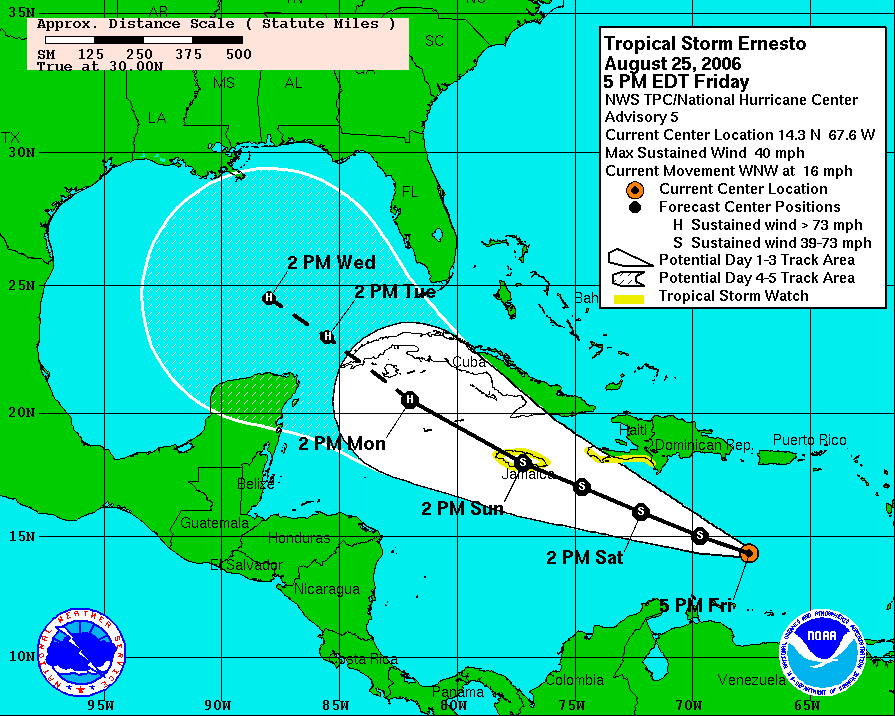
New Orleans in Danger again

  • Replies 97
  • Views 5.5k
  • Created
  • Last Reply

Top Posters In This Topic

Posted Images

Featured Replies

I know it really isn't bad at all here today in Tampa is it Funny? I just went outside on my break at work and it is very calm, like you said no winds. We will see what happens later on in the day. It can't be any worse than some of the lightning storms we have had here lately!!

~Liz~

Overheard in the grocery store last night

"Its getting cloudy and looks like rain, must be from the hurricane."

I live in North Carolina.

I know FL looks like its only two inches away on the map, but trust me, its far away.

  • Author

The Real Danger of Ernesto is that anyone who did the hurricane preperation for Ernesto will be angry about all the unnecessary work and grief they went through and next time will say, "Yeah, right. I am tired of these people. They don't know what they are talking about" and then they will not bother preparing. reply_sm.gif

Join the conversation

You can post as a guest; create a free account to track replies, follow topics, and be part of the largest weight loss surgery community.

Join the conversation

You can post now and register later. If you have an account, sign in now to post with your account.

Guest
Reply to this topic...

Account

Navigation

Search

Search

Configure browser push notifications

Chrome (Android)
  1. Tap the lock icon next to the address bar.
  2. Tap Permissions → Notifications.
  3. Adjust your preference.
Chrome (Desktop)
  1. Click the padlock icon in the address bar.
  2. Select Site settings.
  3. Find Notifications and adjust your preference.