Skip to content
View in the app

A better way to browse. Learn more.

BariatricPal

A full-screen app on your home screen with push notifications, badges and more.

To install this app on iOS and iPadOS
  1. Tap the Share icon in Safari
  2. Scroll the menu and tap Add to Home Screen.
  3. Tap Add in the top-right corner.
To install this app on Android
  1. Tap the 3-dot menu (⋮) in the top-right corner of the browser.
  2. Tap Add to Home screen or Install app.
  3. Confirm by tapping Install.

60lbs to go!!!!!

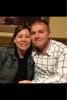
A pic before Lapband and a current pic! Only 60lbs. to go!!!!! Can't wait until I reach my goal weight!!

post-328677-13813141004051_thumb.jpg

post-328677-1381314100474_thumb.jpg

  • Replies 11
  • Views 895
  • Created
  • Last Reply

Featured Replies

  • Author

Just by me changing my diet and my way of life my husband has even lost weight! I finally passed him up! Feels great!!!!! :D

Congrats girl! You both look awesome!

You look great!! Congrats on all the success!

Awesome!!! great job! You will get there!!!

Congratulations, and continued success!

Your beautiful! Congratulations on your success! Don't rush your journey, if you do you may miss some important things along the way! Let your weight be the result, your health and happiness be your goal! Again, congratulations!

Wow! you look Great!! Congrats and you will definitely get there! keep up the awesome work! Woooooooooo!

You look fabulous, both of you.

My hubby says he is loosing weight by association. Lol.

You look fabulous, both of you.

My hubby says he is loosing weight by association. Lol.

That is hilarious!!! That's why I come to this site everyday. Its always good for a few laughs!

awesome!!!

Awesome! Congrats!

Archived

This topic is now archived and is closed to further replies.

Trending Products

PatchAid Vitamin Patches

Account

Navigation

Search

Search

Configure browser push notifications

Chrome (Android)
  1. Tap the lock icon next to the address bar.
  2. Tap Permissions → Notifications.
  3. Adjust your preference.
Chrome (Desktop)
  1. Click the padlock icon in the address bar.
  2. Select Site settings.
  3. Find Notifications and adjust your preference.