Skip to content
View in the app

A better way to browse. Learn more.

BariatricPal

A full-screen app on your home screen with push notifications, badges and more.

To install this app on iOS and iPadOS
  1. Tap the Share icon in Safari
  2. Scroll the menu and tap Add to Home Screen.
  3. Tap Add in the top-right corner.
To install this app on Android
  1. Tap the 3-dot menu (⋮) in the top-right corner of the browser.
  2. Tap Add to Home screen or Install app.
  3. Confirm by tapping Install.

SIZE 14

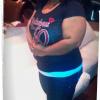
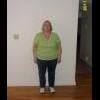
OMG!!! I AM A SIZE 14 PETITE!!! I HAVEN'T BEEN THIS SIZE IN 19 YEARS.... I'M SO EXCITED.BEST DECISION I MADE IN MY LIFE

  • Replies 23
  • Views 3.2k
  • Created
  • Last Reply

Top Posters In This Topic

Featured Replies

Congrats Byrd awesome job!!!!!

YAY!!! Way to Go!!! :)

Way to go! You are doing awesome! Karen :D

Big woot! Way to go, byrd!!

way to go, congratsbiggrin.gif

:bananajump: It's a magical feeling, isn't it. I bought two size 14 tops last week - probably the first in 30 years.

Enjoy the new you!

Enjoy it. You worked hard for it!!!

Cheri

Great job!

Congrats! Way 2 go

Marci

WOW size 14 is great! Keep up the good work! Lapband really does work! CAT

  • Author

can somebody please tell me what Onderland mean?????? lol

First of all CONGRATULATIONS to you. I remember trying on smaller clothes in the fitting room and actually crying when they fit! Nobody understands the feeling like your struggling with weight peers! Keep up the good work. You are an inspiration to many!!!

BTW: onederland = getting out of any numbers higher than 199 - get it? One (1) derland?

  • Author

THANKS..... SO I GUESS I'M IN ONEDERLAND

Awesome!!!

Geri

www.weightlosssurgeryguru.com

OMG!!! I AM A SIZE 14 PETITE!!! I HAVEN'T BEEN THIS SIZE IN 19 YEARS.... I'M SO EXCITED.BEST DECISION I MADE IN MY LIFE

Join the conversation

You can post now and register later. If you have an account, sign in now to post with your account.

Guest
Reply to this topic...

Trending Products

PatchAid Vitamin Patches

Account

Navigation

Search

Search

Configure browser push notifications

Chrome (Android)
  1. Tap the lock icon next to the address bar.
  2. Tap Permissions → Notifications.
  3. Adjust your preference.
Chrome (Desktop)
  1. Click the padlock icon in the address bar.
  2. Select Site settings.
  3. Find Notifications and adjust your preference.