Start here
Where are you in your journey?
Choose the path that fits today. We’ll take you to the most useful discussions.
- GLP-1 medication Zepbound, Wegovy, access, side effects, progress, and support.
- Before surgery Compare procedures, plan ahead, and get honest pre-op answers.
- Post-op Recovery, food stages, symptoms, and support.
- Long-term Regain, labs, habits, and life after the honeymoon.
- Revision Explore revision options, complications, and next steps.

walknlove
LAP-BAND Patients
-
Joined
-
Last visited
Everything posted by walknlove
-
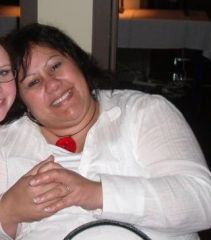
walknlove, a weight loss surgery photo album by walknlove on BariatricPal. 2 photos in Before and After Gastric Sleeve Photos.
-
Hi, my tentative date is 31st March big YAYY :rose: I was asking on behalf of a friend who is also interested but has polycystic ovaries and is concerned about outlaying the cost and not losing weight per say.
-
Hi there, Just wondering if anyone has had polycystic ovaries has had obesity surgery? Have you lost weight? Cheers, Trish
-
thanks for this. new to all this and it has taken me sometime to find my way aorund the site. trish
-
Hi there, I am a newbie to all this and have only just made the appointments to meet with the doctor and for the information evening. I am wondering whether there are any other kiwis that have had this operation done in NZ?:thumbup: